1
How to save battery power:
• Backlight
If the backlight is not needed, lower the brightness or set so that the light will turn off after a
short time. Brightness can be adjusted by the following procedure:
1
2
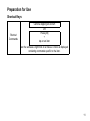
Press [Alt] + tap the background of Desktop[Properties] [Backlight].
Adjust by [
] or [
] icon of Brightness setting.
• Low temperature use
Battery capacity is reduced at low temperatures. When using under low temperature
conditions, keep the equipment as warm as possible.
• CF cards, SD cards, USB port
Disconnect cards and cables when not in use.
15