1
In this guide
In this guide
Important Safety Instructions
8
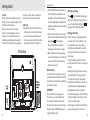
Getting started
Location
Setting up
Wall mounting
Setting up for multiple packs
Using your Telstra V950a on a
Broadband line?
Date and time
Set date manually
Set time manually
10
10
10
11
12
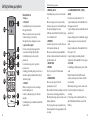
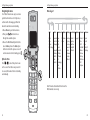
Getting to know your phone
Handset buttons
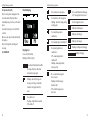
Handset display
Display icons
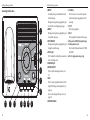
Answering machine base
Navigating the menus
Option buttons
Menu Layout
4
14
14
16
16
18
20
20
Using the phone
Switch handset on or off
Make an external call
Pre-dialling
End a call
Receive a call
Earpiece / handsfree volume
Mute
Silent
Handsfree
Make a handsfree call
Answer a call handsfree
Switch to handsfree during a call
Redial
Redial the last number called
Delete a redial number
Delete all redial numbers
Keypad lock
To lock the keypad
To unlock the keypad
22
22
22
22
22
22
22
23
23
23
23
23
23
23
23
24
24
24
24
24
21
Find handset (Paging)
24
12
13
13
13
Phonebook
Store a name and number
View an entry
View phonebook capacity
Dial an entry
Edit a name and number
Copy all entries
Delete an entry
Delete entire phonebook
25
25
25
26
26
26
26
27
27
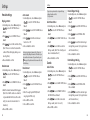
Settings
Handset settings
Display contrast
Handset name
Auto answer
Handset reset
Select Base Station
Sounds
Audio Volume
Internal Ringer Melody
External Ringer Melody
Ringer Volume
Alert Tones
28
28
28
28
28
28
29
29
29
29
29
30
30
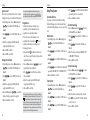
Base settings
Ringer
Ringer Volume
Change Recall (Flash)Time
System PIN
System reset
Deregister a handset
Registration
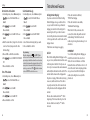
Date/Time/Alarm
Date Format
Time Format
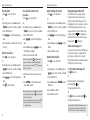
Set date manually
Set time manually
Set and turn on the alarm
Turn off the alarm
Select alarm melody
Stop alarm ring
30
30
30
31
31
32
32
32
33
33
33
33
33
34
34
34
34
5