1
Getting Help
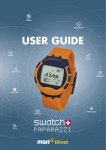
For additional help with your WRIST NET™ watch, please call Customer Service
at (toll free) 1-866-375-4832 or go to our Web site at www.fossil.com/tech or
www.abacuswatches.com.
For help with the MSN Direct service, go to the MSN Direct Web site at
www.msndirect.com and click the Help link, or contact MSN Customer Support
at 1-866-658-7032 (within the United States). For deaf or hard-of-hearing
customers, call 1-800-877-9580 (within the United States) for technical support
or 1-866-271-7577 (within the United States) for accounts and billing support.
35