1
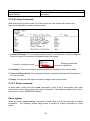
Current/Max MA: View-only field.
Current: This shows the number of current registered MA.
Max: This shows the maximum number available for registering MA. The default
number is 20.
MD Name: View-only field that show the selected MD Name.
MA Name: Specify a name for MA.
MA Format: View-only field. Currently, the only supported format is “String”.
VID: Specify a registered VLAN ID for MA.
CCM Interval: Configure the CCM Interval time from the pull-down menu.
MHF: Select an option for Maintenance Point Function from the pull-down menu.
Defer: The control of MHF creation is deferred to the corresponding variable in the
enclosing Maintenance Domain.
Default: MHFs can be created for this VID on any Bridge Port through which the VID
can pass.
Explicit: MHFs can be created on CFM VLAN member port, and only if there is a
MEP at the lower active MD-level on the port.
None: No MHFs can be created for this VID.
134