1
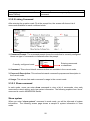
Action: Deny or permit the action.
Rate Limiter: Disable or enable rate limiter.
Port Copy: Send a copy to the desired port.
Shutdown: If enabled, the Managed Switch will shutdown interface.
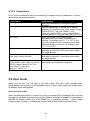
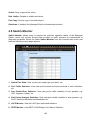
4.5 Switch Monitor
Switch Monitor allows users to monitor the real-time operation status of the Managed
Switch. Users may monitor the port link-up status or traffic counters for maintenance or
diagnostic purposes. Select the folder Switch Monitor from the Console main menu and
then the following screen page appears.
1. Switch Port State: View current port media type, port state, etc.
2. Port Traffic Statistics: View each port‟s frames and bytes received or sent, utilization,
etc.
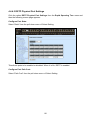
3. Port Packet Error Statistics: View each port‟s traffic condition of error packets, e.g.
CRC, fragment, Jabber, etc.
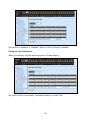
4. Port Packet Analysis Statistics: View each port‟s traffic condition of error packets, e.g.
RX/TX frames of Multicast and Broadcast, etc.
5. LACP Monitor: View the LACP port status and statistics.
6. RSTP Monitor: View RSTP VLAN Bridge, Port Status, Statistics.
143