1
4.1 System Information
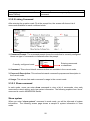
Select System Information in the Main Menu and then the following screen shows up.
Company Name: Enter a company name for this Managed Switch, up to 55 alphanumeric
characters.
System Object ID: View-only field that shows the predefined System OID.
System Contact: Enter contact information for this Managed switch, up to 55 alphanumeric
characters.
System Name: Enter a unique name for this Managed Switch, up to 55 alphanumeric
characters. Use a descriptive name to identify the Managed Switch in relation to your
network, for example, “Backbone 1”. This name is mainly used for reference only.
System Location: Enter a brief description of the Managed Switch location, up to 55
alphanumeric characters. Like the name, the location is for reference only, for example,
“13th Floor”.
Model Name: View-only field that shows the product‟s model name.
Firmware Version: View-only field that shows the product‟s firmware version.
Case Fan: View-only field that shows the running status of case fan.
Power: View-only field that shows the running status of power module.
CPU Temperature: View-only field that shows the current CPU temperature.
PHY Temperature: View-only field that shows the current PHY temperature.
56