1
Start ACTi NVR.......................................................................................................... 45
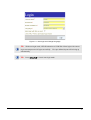
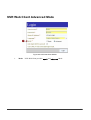
Login ACTi NVR ........................................................................................................ 46
Default Administrator Account / Password
Change Password
47
48
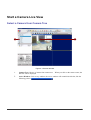
Start a Camera Live View .......................................................................................... 49
Select a Camera from Camera Tree
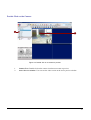
Double Click on the Camera
Drag-n-Drop a Camera
49
50
51
Stop a Camera Live View .......................................................................................... 52
Close Camera Live View
52
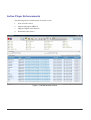
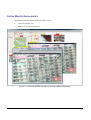
Start Other Application............................................................................................... 53
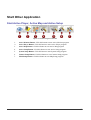
Start Active Player, Active Map and Active Setup
Start Utility
53
54
Quit ACTi NVR........................................................................................................... 55
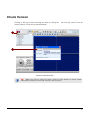
Check Version ........................................................................................................... 56
3.
ACTIVE MONITOR
57
Introduction ................................................................................................................ 57
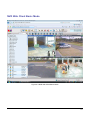
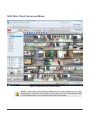
Overview
58
Live View Operation................................................................................................... 60
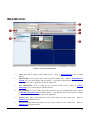
Channel Live View
Double Click on the Camera
Drag-n-Drop a Camera
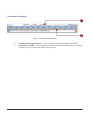
Active Monitor Toolbar
Full Screen Mode (CTRL+F12)
Create Snapshot (CTRL+F7)
Manual Record
Disconnect a Channel
Disconnect All Channels
Trigger DO1 (Toggle)
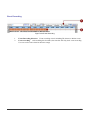
System Monitor
System Monitor Listing
System Monitor - Recorded
System Monitor - Deleted
System Monitor - Alarm
System Monitor - Motion
System Monitor – Network Loss/Recovery
System Monitor – Video Loss/Recovery
System Monitor – User Operation
Talk and Broadcast
Volume Control
Mute On
Mute Off
Adjust Volume
60
61
62
63
64
66
67
68
69
70
71
72
73
74
75
76
77
78
79
80
81
82
82
82
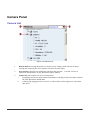
Camera Panel............................................................................................................ 83
Camera List
83
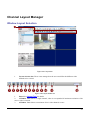
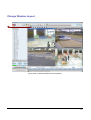
Channel Layout Manager........................................................................................... 84
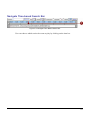
Window Layout Selection
84
iii