1
Picture 7(First level menu)
Picture 4(Soft version)
Picture 8(Submenu)
Picture 5(Reseting wait)
Picture 9(Parameter adjustment)
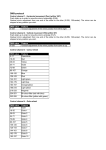
Menu
When fixture reset finished, it will enter into interface of Run mode, which is
used for choose control’s mode and set DMX address. As the picture 6
shows, that means the fixtures is controlled by DMX mode, DMX address
code is 001.
Main menu
Address
Run Mode
Parameter
adjustment
(=1-512)
=DMX mode
=Auto1
=Auto2
=Sound
Submenu
Pan Reverse
Reverse Set
Tilt Reverse
Picture 6(Running operation)
Setting interface
When the setting mode show on display screen, press “enter” enter into “setting
mode” interface to set relevant parameters.
As picture 7 shows, “>” indicates that is first level menu.
As picture 8 shows, “*” indicates that is second level menu
As picture 9 shows, “=” indicates that is parameters adjustment. When cursor is
flashing, the parameters are not saved.
Pan
Degree
Tilt
Channel
Reset
Reload
= 15CH
= YES
= NO
= YES
= NO
Form 1
Menu description
Parameter
adjustment
= YES
= NO
= YES
= NO
= 540°
= 360°
= 180°
= 270°
= 180°
= 90°