1
A-860 User manual
Operation
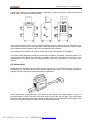
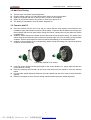
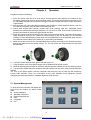
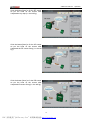
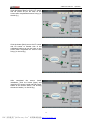
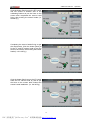
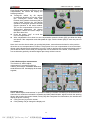
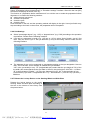
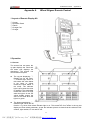
Click the button [Next] to turn fix the LR
sensor heads and RR sensor head by
turning them 180°around the axle again
after completed the sensor head installation,
then leveling the sensor heads (i.e. the left
fig.)
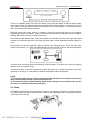
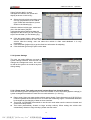
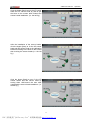
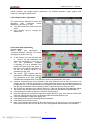
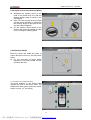
Click [Next] the screen will display the
calibration data as shown in the left fig.
l
l
l
“√”indicates that the calibration is
success. Press [OK] to complete the
calibration.
“×”indicates that the calibration is failed,
Press [Back] to redo the previous
operations;
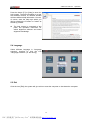
Click [Cancel] to exit. Click the [Sensor
calibration] to re-calibrate the sensors.
5.2 Alignment Checking
5.2.1 Quick Alignment
Skilled users can select quick alignment to
finish the wheel alignment much faster
(note: the main procedure can not omit)
Operation:
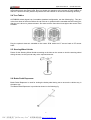
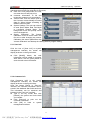
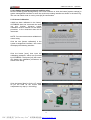
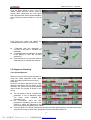
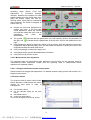
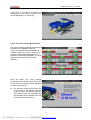
Click the icon [Quick alignment] in the main
interface and select the car model as per
the hints. The system can list the measured
data of axles very quickly as shown in the
left fig.
l
l
l
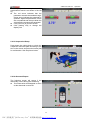
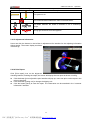
The red arrow in the fig. Indicates the
parameter is out of standard range.
The green arrow indicates the
parameter is ok
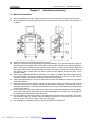
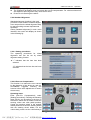
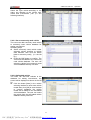
For convenience, users can click
[Suspension adjusting] and lift up the
vehicle to make the adjustment and
finish the parameter adjusting for the axles.
Click [Put down the vehicle]; release the turntable and slide pedal position; Put down the vehicle
and press the body to check if the suspension bracket and slide pedal is ok.
18
PDF 文件使用 "pdfFactory Pro" 试用版本创建 www.fineprint.cn