1
Chapter 2: Windows Installation and Licensing
Installation and Licensing Manual
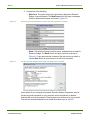
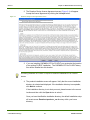
4. Click the Start Service button to begin the license daemon service. With the
Start Service at Boot Time box checked (default), the Start Service action will
not need to be repeated, unless there is a change to the license file or to the
license daemon.
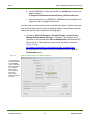
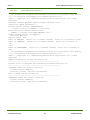
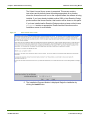
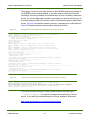
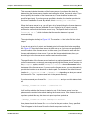
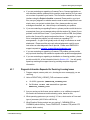
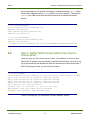
5. After waiting a few seconds, the Service Log (debug.log file) is displayed and
you can verify that the service was successfully started. An example of text
that would be displayed after the license daemon is initialized is shown in
Figure 2-5.
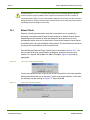
Windows 7 and Vista will not allow the Start Service command to succeed unless the lmgrd
executable is version 11.4 or higher. This version is distributed with CHEMKIN 4.1.1,
CHEMKIN-PRO, ENERGICO, and FORTÉ and should be used with Windows-7- and Vistabased license servers. Even so, you may encounter problems due to operating-system
security and need to manually start the license daemons after rebooting.
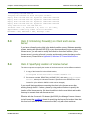
Figure 2-5
Example of log file created by the Reaction Design License Tool
The example shows that the
DAEMON was successfully
started, echoes the location
of the license file, and
shows the identity of the
license server. It also lists
the licensed features
available
RD-INST-1008-UG-1
21
© 2010 Reaction Design