1
3. Environmental Setting of Debugger
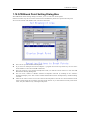
To change the directory in which the ASM/C watch point information file is saved, reset a check mark
from the "Use the same directory as the absolute module file" check box in the Directory Setting group.
Then, the "Watch Points:" field is enabled.
Click the Refer... button on the right of the "Watch Points:" field and specify the saving destination
directory from the Directory Selection dialog.
To change to directory, in which other information file is saved, click the Refer... button on the right of
the "Other Settings:" field and specify the saving destination directory from the Directory Selection
dialog.
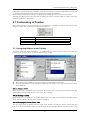
3.5 Tool Entry Tab
The specified content becomes effective when the next being start.
3.5.1 Execute the Make File
Prepare a PIF file to start the Make file.
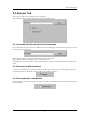
Click the Refer button in the Make group. The Directory Selection dialog is opened.
Specify the directory in which the Make file exists.
Name the PIF file to be registered in the PIF Filename field.
3.5.1.1 Creating a PIF file
1. Create a keyboard shortcut for command.com located in the Windows directory.
Command.com is in the Windows directory in Windows 98/Me. It is in the system32 directory (The
example: ¥winnt¥system32) under the Windows directory in Windows 2000/XP.
2. For the keyboard shortcut thus created, assign a file name xxxxx.pif (xxxxx denotes a name
specified by the user) and moves the file into the directory that contains makefile.
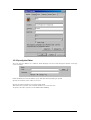
3. Open the property dialog box for this file and input the same command in the command line of this
dialog box that was input on the DOS window.
4. Open the property dialog box for this file and input the same command in the command line of this
dialog box that was input from the DOS window.
17