1
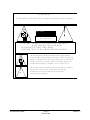
WARNING
THIS DEVICE MUST BE GROUNDED
IMPORTANT
Power requirements for electrical equipment vary from area to area. Please ensure that the
Generation 3D meets the power requirements in the surrounding area. If in doubt, consult a
qualified electrician or a Doremi Labs dealer.
Generation 3D Power Ratings
•
AC Input: 100-240V~, 0.12A, 50-60Hz
•
Maximum Power Consumption: 15W
Generation 3D Rack Mount and Thermal Information
•
Maximum operating ambient temperature is 30°C.
•
Never restrict the air flow through the devices’ fan or vents.
•
When installing equipment into a rack, distribute the units evenly. Otherwise hazardous
conditions may be created by an uneven weight distribution.
•
Connect the unit only to a properly rated supply circuit. Reliable earthing (grounding) of
rack-mounted equipment should be maintained.
Protecting Yourself and the Generation 3D
Never touch the AC plug with wet hands. Always disconnect the Generation 3D from the power
supply by pulling on the plug not the cord. Allow only a Doremi Labs dealer or qualified
professional engineer to repair or reassemble the Generation 3D. Apart from voiding the warranty,
unauthorized engineers might touch live internal parts and receive a serious electric shock. Do not
put, or allow anyone to put any object, especially metal objects, into the Generation 3D.
If water or any other liquid is spilled into or onto the Generation 3D, disconnect the power and call
a Doremi dealer. The unit must be well ventilated and away from direct sunlight. To avoid damage
to internal circuitry, as well as the external finish, keep the Generation 3D away from direct sources
of heat (heater vents, stoves, radiators). Avoid using flammable aerosols near the Generation 3D.
They can damage the surface area and may ignite. Do not use denatured alcohol, paint thinner, or
similar chemicals to clean the Generation 3D. This can damage the unit.
G3D.OM.002067.DRM
Page 5
Doremi Labs
Version 1.3