1
XMLPDF 5.5.7 Programmers Guide
November 2006
22: Merging Data
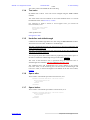
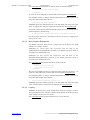
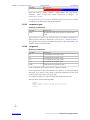
Any valid XPath test can be used in the xpath attribute, for example to test if the
age attribute is present just use an @ and the attribute name like this:
<if xpath='@age' root='student-itr'>
age is present
</if>
22.3.8
Formatting Merged Values
This is currently only in .NET version 4.0.3 and above.
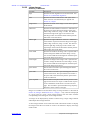
A value merged into the PDF file using a <merge> element can be formatted
before insertion into the PDF. This is done using the format and format-type
attributes.
Within XMLPDF formatting is done using the StringBuilder.AppendFormat()
method. The value returned by the XPath expression is converted to the type
specified by the format-type attribute (which defaults to 'string') and then passed
to the AppendFormat method.
The format attribute specifies the formatting of the values returned from the
XPath expression. This follows the standard .NET formatting rules.
The valid values of the format-type attribute are: 'string', 'date', 'double', 'integer'.
Note that .NET formatting requires that the format match the type. Specifying a
numeric format like '##.##' with a string type will not automatically convert the
string to a number and so will not work.
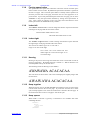
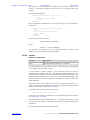
Examples:
Date Formatting:
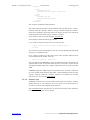
Given a date such as '2003-01-12T14:07:41.277' we can format it as dd/mm/yyyy
like this:
<merge xpath="/coursedata/term-start"
format='{0:dd/mm/yyyy}' format-type='date'/>
Number Formatting:
Given a number such as '100.20' can format it to 5 decimal places like this:
<merge xpath="/coursedata/term-start" format='{0:###.####0}'
format-type='double'/>
Hexadecimal Formatting:
Given a number such as '34' can format it as hex like this:
<merge xpath="/coursedata/integer" format='0x{0:x}'
format-type='integer'/>
22.3.9
Merging Image File Names
This is currently only in .NET version 4.7 and above.
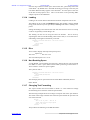
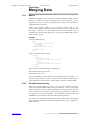
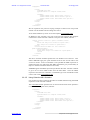
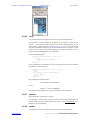
It is possible to merge image file names from the data XML using a nested
<file-name> element like this:
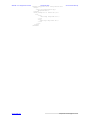
<document>
<image image-name='im1'>
<file-name>
<merge xpath='data/image/@name'/>
</file-name>
</image>
<show-image image-name='im1'/>
</document>
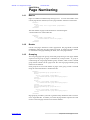
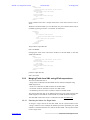
In this example the image-name attribute of the image element is set to the name
attribute of the image element in the data XML.
www.xmlpdf.com
xmlpdf user manual page 66 of 101