1
XMLPDF 5.5.7 Programmers Guide
November 2006
11: Fonts
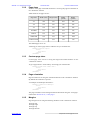
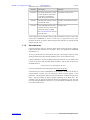
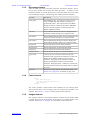
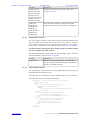
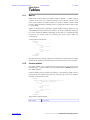
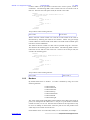
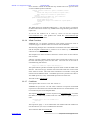
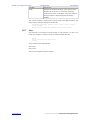
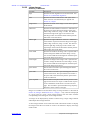
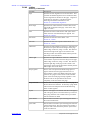
Attributes of the <font> element are:
Attribute
Description
Example
font-name
The name of the font as used
in this document. This name
is used in text elements to
make the text use that font.
font-name='arial-narrow'
font-file
The full path of the file which
contains the fonts.
font-file='d:\winntx\fonts\arial.t
tf'
unicode
Tells XMLPDF that the font
unicode='true'
contains (and you want to use)
characters above U+00FF.
See unicode fonts for notes on
Unicode fonts.
Each TrueType font is read into memory and cached the first time it is used. This
means that if XMLPDF is used in a web server or application server only
minimal resources are used to hold TrueType fonts and they are read from disk
and parsed only once.
11.5
Unicode fonts
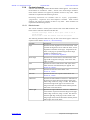
Unicode TrueType fonts are TrueType fonts which contain glyphs for character
codes greater than ASCII 255 or U+00FF. These are supported in XMLPDF
from release 1.1.
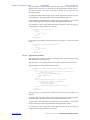
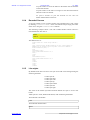
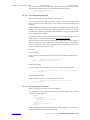
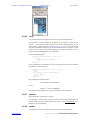
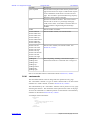
To use a Unicode font you must specify the type to be 'truetype' (like any other
TrueType font) and set the 'unicode' attribute on the <font> element to 'true'.
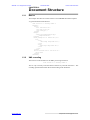
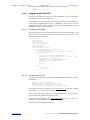
Always remember to set the encoding processing instruction of your XML to the
correct one for the actual encoding of the document. This is done at the start of
the XML like this:
<?xml version='1.0' encoding='UTF-8'?>
For more information on encoding check out www.unicode.org.
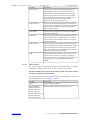
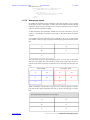
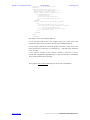
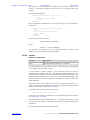
Unicode fonts are always embedded in the document. A subset of the font is
created which contains only the characters which actually appear in the
document. This means that the size of the font file does not affect the size of the
PDF - only the number of distinct glyphs appearing in the PDF does. For
example if you use the font 'arialuni.ttf' which is 24 megabytes in size, but only
use a few hundred different characters in your document, the PDF file will still
be less than 100K in size.
www.xmlpdf.com
xmlpdf user manual page 24 of 101