1
DataNet OPC User Manual
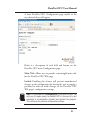
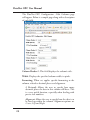
Autorefresh: This value will define how often, in seconds,
the DataNet OPC data-presentation page will automatically
refresh its data. If real-time data is desired, this value should
be set at one second. If performance issues, such as slow
communications between the PC and the industrial devices
become a problem, this value should be increased until the
rate of communication is acceptable.
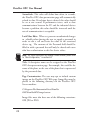
Lock Value Edits: When set, prevents unauthorized changes
to editable values forcing the user to supply a password in
order to edit a cell and write the value to the associated
device tag. The contents of the Password field should be
filled in with a password that will only be shared with users
who have authorization to edit live device values.
Note: For more information on making a value editable, please refer
to “Row Configuration,” in section 5.3.
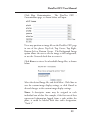
Title: A descriptive name can be assigned to the DataNet
OPC data-presentation page. For example, this could be the
name of the plant, or the area of the plant that is represented
by the presented data.
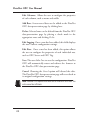
Page Customization: The user may opt to include custom
images on the DataNet OPC Web page. Image files must be
placed in the following directory on the DataNet OPC
Server machine:
C:\Program Files\AutomationDirect\DataNet
OPC\DataNetOPC\images\custom
Image files must also have one of the following extensions:
GIF, JPG or PNG.
22