1
OPERATION
ENGLISH
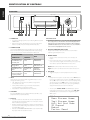
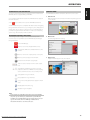
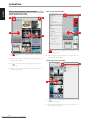
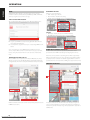
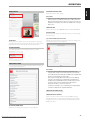
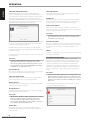
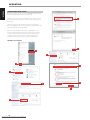
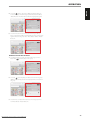
HOW TO SWITCH BETWEEN SCREEN SECTIONS
MENU SCREEN TO CENTER SCREEN
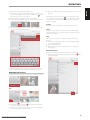
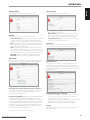
CENTER SCREEN TO MENU SCREEN
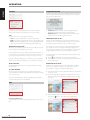
CENTER SCREEN TO PLAYER SCREEN
1
1
3
FRANÇAIS
2
2
4
ESPAÑOL
ITALIANO
1 Tap
or anywhere within the Center Screen display portion to return
full Center Screen display.
1 Tap
to show Menu Screen along with a portion of the Center
Screen display.
2 Swipe from left to right to show Menu Screen along with a portion of
the Center Screen display.
2 Swipe from right to left within the Center Screen display portion to
return full Center Screen display.
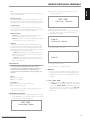
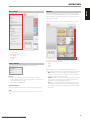
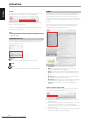
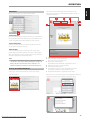
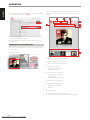
PLAYER SCREEN TO CENTER SCREEN
DEUTSCH
1
3 Tap
to show Player Screen along with a portion of the Center
Screen display.
4 Swipe from right to left to show Player Screen along with a portion of
the Center Screen display.
NEDERLANDS
2
SVENSKA
1 Tap
or anywhere within the Center Screen display portion to return
full Center Screen display.
РУССКИЙ
2 Swipe from left to right within the Center Screen display portion to
return full Center Screen display.
14
Downloaded From Disc-Player.com NAD Manuals