1
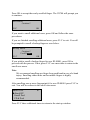
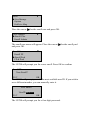
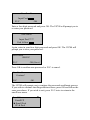
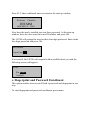
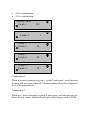
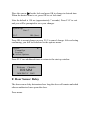
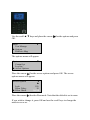
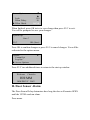
US700
Time & Attendance
and
Access Control Terminal
User Guide
About this Guide
This guide provides User instructions only. For information regarding
actual installation, refer to the US700 Installation Guide.
User Guide Disclaimer
All functions described in this document are current as of April, 2008.
However, since the US700 is always being improved upon, it is remotely
possible that this document may not coincide exactly with the US700 you
have purchased. Every effort has been made to ensure the information in
this document is complete and consistent with the US700 you have
purchased. ZK Software will not assume liability for any direct or indirect
financial loss resulting from any inaccuracies or omissions found in this
document.
Replication or reproduction of this document or part of this
document is strictly prohibited without prior approval of ZK
Software (USA) Inc.
All the functions and uses are recommended for the US700, only. Due to
continuous upgrades and customization of the products, we do not take
any responsibility for any or part of the functions not present in the US700
which you purchased. Design and Specifications are subject to change
without notice.
All trademarks and copyrights are acknowledged.
Table of Contents
I.
Considerations
A. Time and Attendance Software
B. Environmental Factors
II. Operating Procedures
III. Introducing Fingerprint Recognition Technology
A. How F.R.T. Works
B. Getting Good Fingerprint Images
C. Correcting Wet/Dry Fingerprint Images
D. How Much Pressure Required for Good Fingerprint(s)
E. Identity Verification
F. Fingerprint/Password Verification
G. Door Access Considerations
IV. User Management
A. Brief Overview of Enrollment/Verification Process
B. User Enrollment/Verification
C. Match Threshold Levels
D. User ID Numbers
E. Authority Levels
F. Start up Window
V. Enrollment and Verification Procedures
A. User Enrollment
a. Fingerprint Enrollment
b. Password Enrollment
c. Fingerprint and Password Enrollment
B. Administrator Enrollment
a. Fingerprint Enrollment
b. Password Enrollment
c. Fingerprint and Password Enrollment
C. Card Enrollment
D. Deleting Enrolled Data
VI. Changing Date and Time
VII. Changing Date Format
VIII. Advanced Settings
A. Resetting the US700
B. Deleting Attendance Logs
C. Clear All Data
D. Clear Administrators’ privileges
E. Show Score
F. 1:N Fingerprint(s) Matching Threshold
G. Must Input ID
H. 1:1 Fingerprint(s) Matching Threshold
I. Voice
J. Card Only
K. FPCard Key
L. Update Firmware
M. Button Beep
N. Adjust Volume
IX. Power Management
A. Set Shutdown Schedule
B. Set Power on Schedule
C. Set Sleep Schedule
D. Set Idle to Off or Sleep
E. Set Idle Min
F. Lock Door
X. Communications Options
A. Network Connectivity
B. RS 232/485 Serial Connectivity
XI. Log Options
XII. Access Control
A. Time Period Settings
B. Group Time Period Settings
C. User Access Options
D. Access Combination Settings
E. Lock
F. Door Sensor Delay
G. Door Sensor Mode
H. Door Sensor Alarm
I. Duress Options
XIII. Auto Test
XIV. PenDrive (flash drive) Management
XV. System Information
XVI. Maintenance
I. Considerations
A. Time and Attendance Software
The US700 runs ZK time and attendance software in addition to numerous
3rd party time and attendance software applications. We strongly
recommend that you consult with your local ZK software office to
determine which time and attendance software application is suitable for
your specific needs. (www.zk-usa.com)
B. Environmental Factors
In order for your US700 to function properly, it must be installed in an
adequate, environmental location. There are certain environmental factors
that need to be taken into consideration.
Primarily, the US700 was designed for indoor usage. We strongly
recommend not installing or operating your US700 in areas where bright
light is present. Bright light will cause deficiencies in the sensor’s ability
to accurately read fingerprints. However, if you need to install your US700
outdoors, you can protect it with an all-weather protective covering. These
outdoor enclosures are manufactured by STI USA and can be purchased
by going to their website as directed. (www.sti-usa.com)
The proper functioning temperature range to use your US700 in is 0° to
40° C (32° to 105° F). Usage of your US700 in hot environments can cause
your US700 to overheat. Therefore, placing it in environments where there
is adequate air ventilation can inhibit overheating.
II. Abbreviate Operating Procedures
Below is a brief overview on setting up your US700. We recommend that
you follow these steps.
STEP 1
Install your US700and power it up.
STEP 2
Enroll users by registering their fingerprint(s) or password.
STEP 3
After enrolling users, ensure the US700 recognizes their enrolled
fingerprint(s) and/or password. Verifying this information is important.
STEP 4
Configure the US700 communication settings and download the user’s
newly enrolled fingerprint(s) from the US700 onto the computer. This data
can be transmitted via TCP/IP.
Note: It is imperative to create backup fingerprint templates and save them
onto a computer or a USB flash drive. If the US700 was vandalized or
malfunctioned, having these backup templates eliminates the
re-enrollment process of users.
STEP 5
Verify that the US700 displays the correct date and time.
III. Introducing Fingerprint(s)
Recognition Technology
Prior to using your US700, it is essential to understand how fingerprint
recognition technology works. Once a thorough understanding of
fingerprint recognition technology is obtained, you will have a positive
experience with your US700.
A. How F.R.T. Works
Adding and verifying fingerprints is a vital function of the US700 but only
equates to a small fraction of its capabilities.
When a user places their finger on a fingerprint recognition device for the
first time (ie US700), the fingerprint is scanned and converted into a
computer generated biometric template. Each individual template can only
be recognized by its respective manufactured biometric device. This is due
to each fingerprint containing a distinctive amount of unique physical
characteristics called minutiae. Minutia includes definite visible aspects of
fingerprints such as ridges, ridge endings and bifurcation (forking) of
ridges. Most minutiae are found in the core points of fingerprints located
near the center on the fleshy pad of the finger.
Something we must note here is that each template is not an actual
fingerprint image. This feature not only prevents duplicate fingerprints
from being enrolled but also prevents the generation of duplicate
templates.
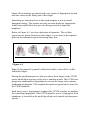
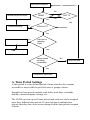
Below in Figure A-1 are clear depictions of minutiae. The red dots
represent core points located on your finger. A core point is the topmost
point on the innermost upward recurring ridge line.
Figure A-1
Note: If this manual is printed in black and white, a dot will be visible
within the ridges.
During the enrollment process, the user places their finger on the US700
sensor which takes a picture of the user’s minutiae points. The US700 uses
proprietary mathematical algorithms to convert the image into a unique
mathematical template. This template becomes encrypted and is stored in
the US700 database.
Each time a user’s fingerprint is scanned, the US700 searches its database
for a matching fingerprint. If the US700 matches a user’s fingerprint, their
attendance is recorded in the audit log which can be noted on subsequent
reports.
Note: Security issues should never be a concern when using the US700.
No real image of the user’s fingerprint(s) is stored in the device. Only the
minutiae-based templates are stored.
B. Getting Good Fingerprint Images
The quality of fingerprint images is comparable to the amount of minutiae
points acquired by the US700 sensor. Fingerprint images that do not
possess a sufficient amount of minutiae points may be indecipherable. We
advise those users whose fingerprint images cannot be read by the sensor
to create a password.
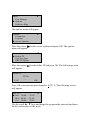
Below in Figure A-2 shows examples of inadequate fingerprints. These
are examples of smudged, faded or distorted areas on the fingerprint.
These conditions are incurred by excessive dryness, wetness, scarring and
the application of insufficient pressure of the skin at the fingertip.
Figure A-2
The fingerprint matching algorithm is capable of extracting the correct
minutiae without visibly seeing a perfect print. However, the positioning
of the finger, the moisture and pressure is imperative when placing it on
the sensor. These are major contributing factors in achieving a consistent
fingerprint match.
C. Correcting Wet/Dry Fingerprint Images
After washing your hands or when temperatures or rigid, your fingers tend
to be dry. In this case, the user should moisturize their finger(s) simply by
breathing on the fleshy pad of their fingertip before placing it on the
sensor. The moisture from their breath is transferred to the finger(s) which
should help improve their recognition.
If the fingerprint is too wet, the ridges and valleys are rendered
indistinguishable. The lack of recognizable minutiae causes wet
fingerprints to be rejected. A quick resolution to this problem is simply
swiping the finger on a clean dry towel or cloth.
D. How Much Pressure Required for Good
Fingerprint
When too much pressure is applied on the sensor, ridges will appear too
close together, creating an indistinguishable image. In addition, too much
pressure generates blurred images which the sensor cannot identify.
If minimal pressure is applied, the sensor will not read the fingerprint.
It is crucial for your finger to cover the majority of the sensor and maintain
contact with it for two full seconds. When you hear your US700 beep, it is
an indicator that it has sensed your finger, prompting you to continue the
enrollment process.
Practicing applying pressure to the sensor will increase the chances of
your fingerprint being readable. Once you have a better idea of how much
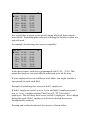
pressure to use, enrolling users should not be a concern. Below is an
illustration displaying how to properly place your finger on the sensor.
E. Identity Verification
The US700 will not record employee attendance until an individual’s
identity is verified. There are two ways for the US700 to verify a user’s
identity: fingerprint matching and password matching.
F. Fingerprint/Password Matching
The US700 supports two methods of fingerprint matching: 1:N and 1:1.
1:N fingerprint matching, or 1 touch matching, is a fast and easy method.
It will match a user’s fingerprint(s) to all templates in the US700 database.
With this type of matching, a user does not have to enter in their user ID
prior to placing their finger on the sensor.
1:1 fingerprint matching can be used when too many users fingerprints are
not easily recognized. This will require a user to enter in their user ID
number before verifying themselves with a fingerprint.
Password matching is utilized when too many users have difficulty with
the fingerprint matching process. Here a user can register with a four digit
password to access the device.
G. Door Access Considerations
The US700 is designed to work as an access control terminal and time and
attendance recorder. Door access control decisions are based upon who the
user is and when the user is permitted door access.
The US700 will verify a user but a user gains door access either by the
US700 or a 3rd party access control panel. If the US700 validates a user’s
identity and determines if the user is permitted door access at that
particular time, the door will open. If the US700 verifies a user’s identity
but does not permit door access to the user at that time, the door will not
open.
IV. User Management
A. Brief Overview of Enrollment/Verification
Process
This section provides a brief overview of enrolling various types of users
and the security process used to prevent false identification.
B. User Enrollment/Verification
Enrollment is a process that associates an ID number to a user’s finger to
create a template. This template is stored in the US700’s memory for
future verification.
During user verification, the stored template is compared to a current
fingerprint scan to confirm a user’s identity. (This process should
approximately take 2-4 seconds). Up to ten fingers can be enrolled for one
ID number so a user may have more verification options.
We strongly advise enrolling one finger from each hand in case of a hand
injury. A user can use a finger from the uninjured hand as backup. We
suggest enrolling either index fingers and/or middle fingers.
For users with extremely thin fingers, we recommend enrolling the thumb.
For users whose fingers are difficult to enroll or cannot be enrolled, we
advise enrolling a password with your fingerprint(s).
C. Match Threshold Levels
The match threshold is an extensive verification process performed to
ensure users are who they claim to be.
The match threshold levels establish a balance between false acceptance
rate (FAR) and false rejection rate (FRR). FAR measures how often a
non-authorized user is falsely recognized and granted access to the system.
FRR measures how often an enrolled and authorized user is denied access
to system because the system did not recognize them.
Note: You cannot set match threshold levels on a per user basis. The
threshold setting is universal for the user population.
If too many users are experiencing difficulty having their fingerprint(s)
read, we recommend using 1:1 matching (i.e. User first enters their User
ID, and then places their finger on the sensor for verification).
Raising the threshold increases security while lowering decreases it. You
need to strike a correct balance based upon the quality of user fingerprints.
If too many users are experiencing fingerprint recognition difficulties, the
match threshold level can and should be reduced.
Table 1—1 Suggested Match Threshold Settings
FRR
FAR
High
Low
One-to-many One-to-one
45
25
Middle Middle
35
15
Low
25
10
High
D. User ID Numbers
Fingerprints are assigned a unique user ID number which refer to
fingerprint templates in the US700 database.
E. Authority Levels
The US700has four authority levels:
1. Users
People whose identity must be verified prior to having their
attendance recorded. Users have no administrative privileges.
2. Enrollers
People who have authorization to enroll or delete users from the
system.
3. Administrator
People who can perform other operations except set advanced
options and enroll administrators.
4. Supervisors
People who have access to ALL functions.
Note:
Until a supervisor is enrolled in the system, any user can access the
Menu system.
F. Start-up window
In order for your start up window to appear, plug in the power adaptor to
the main power supply.
If the start up window is still not visible, press the power button to turn on
your US700.
Welcome
Check-In
HH:MM
MM/DD/YY DAY
Note:
The actual current date/time will appear.
V. Enrollment and Verification
Procedures
This section describes how to enroll and verify users. Some US700 models
can also enroll/verify Prox, HID and Mifare cards (aka PIN/FP cards).
Note:
You must have an administrative role, favorably a supervisor,
enrolled in the US700 to prevent users from accessing the main
menu. Until this occurs, all users have access to menu functions.
The user management menu allows you to enroll/delete users and their
respective fingerprint(s) and password.
Enroll User
Enroll fingerprint(s)
Enroll Password
Enroll Fingerprint(s) and Password
Enroll Admin
Enroll fingerprint(s)
Enroll Password
Enroll Fingerprint(s) and Password
Card Enrollment
Delete
A. User Enrollment
The first enrolled in the US700 will be capable of enrolling other users
until an administrator role is enrolled. Therefore, administrative
enrollment after installation is vital.
There are three types of enrollment:
1. Fingerprint enrollment
2. Password enrollment
3. Fingerprint & password enrollment
The enrollment type selected depends on the environment and how easily
users fingerprint(s) can be read by the US700
Fingerprint enrollment: should be used when the majority of users
fingerprint(s) can be read. This is typical for most office environments.
Password enrollment: should be used for users whose fingerprint(s)
cannot be enrolled or verified. It is not unusual to have some users
experience fingerprint verification difficulties.
Fingerprint & Password: this type of enrollment allows users to register
both fingerprint(s) and password.
a. Fingerprint Enrollment
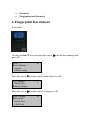
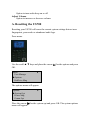
To start fingerprint enrollment, press menu.
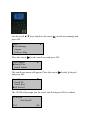
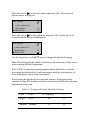
Use the scroll ▲/▼ keys and place the cursor ( ) beside user manage and
press OK.
Menu
►User Manage
Options
PenDrive Mng
▼
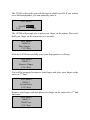
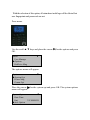
Place the cursor ( ) beside enroll user and press OK. The enroll user menu
will appear.
User Manage
►Enroll User
Enroll Admin
▼
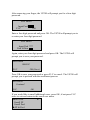
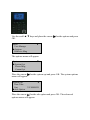
Place the cursor ( ) beside enroll FP and press OK..
Enroll User
►Enroll FP
Enroll Pwd
FP & Pwd
▼
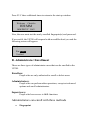
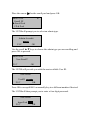
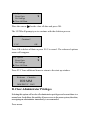
The US700 will prompt you for a new enroll. If a new user, press OK.
Enroll FP
New Enroll?
F1/C
OK
The US700 will provide you with the next available user ID.
New Enroll
UserID 00001-0
F1/C
OK
In this example, no user has been enrolled on the US700 so the next
available user ID is 00001. Press OK to accept 00001, or manually key in a
different number if desired.
The US700 will prompt you to place your finger on the sensor. Remember,
you must leave your finger on the sensor for two seconds.
New Enroll
00001-0
Place Finger . . .
F1/C/Exit
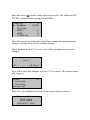
After the US700 successfully scans your fingerprint, it will beep and
briefly prompt you to remove your finger.
New Enroll
00001-1
Remove Finger
F1/C/Exit
Then you will be prompted to do a second press.
New Enroll
00001-1
Second Press
F1/C/Exit
Place your finger on the sensor for a 2nd time. Again, you will be prompted
to remove your finger.
New Enroll
00001-1
Remove Finger
F1/C/Exit
Place your finger on the sensor for a 3rd and final time. After your
fingerprint has been scanned, you will be prompted to save your
fingerprint as seen below.
New Enroll
00001-0
F1/C
OK (Save)
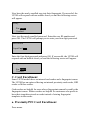
Press OK to accept the newly enrolled finger. The US700 will prompt you
to continue.
New Enroll
Continue?
F1/C
OK
If you want to enroll additional users, press OK and follow the same
procedures.
If you are finished enrolling additional users, press F1/C to exit. You will
be prompted to enroll a backup finger as seen below.
Backup Enroll
Continue?
UserID 0001
F1/C
OK
If you wish to enroll a backup finger for user ID 00001, press OK to
proceed with the process. If not, press F1/C one more time to return to the
enroll user menu.
Note:
We recommend enrolling one finger from each hand in case of a hand
injury. Enrolling either index and/or middle fingers is highly
recommended.
After enrolling one or more fingerprint(s) for user ID 00001 press F1/C to
exit. You will be redirect to the enroll user menu.
Enroll User
►Enroll FP
Enroll Pwd
FP & Pwd
▼
Press F1/C three additional times to return to the start up window.
Welcome
Check-In
HH:MM
MM/DD/YY DAY
Test the newly enrolled fingerprint(s) by having user ID 0001 place their
finger on the sensor.
If successful, the US700 will respond with an audible thank you and the
following screen will appear.
Verify
Pin: 00001
Verified.
Note:
The US700 will verify that user ID 0001 accessed the system and
record it in its transaction log. This information can be used for time
& attendance software applications.
b. Password Enrollment
Password enrollment should be used for users whose fingerprint(s) cannot
be read by the sensor.
To start password enrollment, press menu.
Use the scroll ▲/▼ keys and place the cursor ( ) beside user manage and
press OK.
Menu
►User Manage
Options
PenDrive Mng
▼
Place the cursor ( ) beside enroll user and press OK.
User Manage
►Enroll User
Enroll Admin
▼
The enroll user menu will appear. Place the cursor ( ) beside enroll pwd
and press OK.
Enroll User
Enroll FP
►Enroll Pwd
FP & Pwd
▼
The US700 will prompt you for a new enroll. Press OK to confirm.
Enroll FP
New Enroll?
F1/C
OK
The US700 will prompt you with the next available user ID. If you wish to
use a different number, you can manually enter it.
New Enroll
UserID 00001-0
F1/C
OK
The US700 will prompt you for a four digit password.
New Enroll
Input Pwd _____
F1/C
OK
Enter a four digit password and press OK. The US700 will prompt you to
re-enter your password.
New Enroll
Input Pwd ****
Pwd Affirm _ ___
Again, enter in your four digit password and press OK. The US700 will
prompt you to save your password.
New Enroll
00001-P
F1/C
OK (Save)
Press OK to confirm new password or F1/C to cancel.
New Enroll
Continue?
F1/C
OK
The US700 will prompt you to continue the password enrollment process.
If you wish to continue enrolling additional users, press OK and follow the
same procedures. If you wish to exit, press F1/C twice to return to the
enroll user menu.
Enroll User
Enroll FP
►Enroll Pwd
FP & Pwd
▼
Press F1/C three additional times to return to the start up window.
Welcome
Check-In
HH:MM
MM/DD/YY DAY
Now have the newly enrolled user test their password. At the start-up
window, have the user enter their user ID number and press OK.
The US700 will prompt the user for their four digit password. Enter in the
four digit password and press OK.
Pwd Affirm
Input Pwd ____
If successful, the US700 will respond with an audible thank you and the
following screen will appear.
Verify
Pin: 00001
Verified.
c. Fingerprint and Password Enrollment
This option enables users to enroll both a password and fingerprint in one
step.
To start fingerprint and password enrollment, press menu.
Use the scroll ▲/▼ keys and place the cursor ( ) beside user manage and
press OK.
▼
Menu
►User Manage
Options
PenDrive Mng
Place the cursor ( ) beside enroll user and press OK.
User Manage
►Enroll User
Enroll Admin
▼
The enroll user menu will appear. Place the cursor ( ) beside fp & pwd
and press OK.
Enroll User
Enroll FP
Enroll Pwd
►FP & Pwd
▼
The US700 will prompt you for a new enroll and press OK to confirm.
FP & Pwd
New Enroll?
F1/C
OK
The US700 will provide you with the next available user ID. If you wish to
use a different number, you can manually enter it.
New Enroll
UserID 00001-0
F1/C
OK
The US700 will prompt you to place your finger on the sensor. Place and
hold your finger on the sensor for two seconds.
New Enroll
00001-0
Place Finger . . .
F1/C/Exit
After the US700 successfully scans your fingerprint, it will beep.
New Enroll
00001-1
Remove Finger
F1/C/Exit
You will be prompted to remove your finger, and place your finger on the
sensor a 2nd time.
New Enroll
00001-1
Second Press
F1/C/Exit
Remove your finger, and then place your finger on the sensor for a 3rd and
final time.
New Enroll
00001-1
Third Press
F1/C/Exit
After removing your finger, the US700 will prompt you for a four digit
password.
New Enroll
Input Pwd _____
F1/C
OK
Enter a four digit password and press OK. The US700 will prompt you to
re-enter your four digit password.
New Enroll
Input Pwd ****
Pwd Affirm ____
Again, enter your four digit password and press OK. The US700 will
prompt you to save your password.
New Enroll
00001-P
F1/C
OK (Save)
Press OK to save your password or press F1/C to cancel. The US700 will
prompt you to proceed with the enrollment process.
New Enroll
Continue?
F1/C
OK
If you would like to enroll additional users, press OK, if not press F1/C
twice to exit and return to the enroll user menu.
Enroll User
▼
Enroll FP
Enroll Pwd
►FP & Pwd
Press F1/C three additional times to return to the start up window.
Welcome
Check-In
HH:MM
MM/DD/YY DAY
Now, the user must test the newly enrolled fingerprint(s) and password.
If successful, the US700 will respond with an audible thank you and the
following screen will appear.
Verify
Pin: 00001
Verified.
B. Administrator Enrollment
There are three types of administrator users that can be enrolled in the
US700.
Enrollers:
People who are only authorized to enroll or delete users.
Administrators:
People who can perform other operations, except set advanced
options and enroll administrators.
Supervisors:
People who have access to ALL functions.
Administrators can enroll with three methods
•
Fingerprint
•
•
Password
Fingerprint and Password
a. Fingerprint Enrollment
Press menu.
Use the scroll▲/▼ keys and place the cursor ( ) beside user manage and
press OK.
Menu
►User Manage
Options
PenDrive Mng
▼
Place the cursor ( ) beside enroll admin and press OK.
User Manage
Enroll User
►Enroll Admin
▼
Place the cursor ( ) beside enroll FP and press OK.
Enroll Admin
►Enroll FP
Enroll Pwd
FP & Pwd
▼
The US700 will prompt you to select an admin type.
Admin Accredit
Admin
F1/C
OK
Use the scroll keys to select supervisor and press OK. The US700 will
provide you with the next available user ID.
New Enroll
UserID 00001-0
F1/C
OK
Press OK to accept 00001 or manually key in a different number if desired.
The US700 will prompt you to place your finger on the sensor. Place your
finger on the sensor for a full two seconds.
New Enroll
00001-0
Place Finger . . .
F1/C/Exit
After the US700 successfully scans your fingerprint, it will beep.
New Enroll
00001-1
Remove Finger
F1/C/Exit
Place your finger on the sensor for a 2nd time. Again, you will be prompted
to remove your finger.
New Enroll
00001-1
Remove Finger
F1/C/Exit
Remove your finger, and then place your finger on the sensor for a 3rd and
final time.
New Enroll
00001-1
Third Press
F1/C/Exit
The US700 will prompt you to continue with the enrollment.
New Enroll
Continue?
F1/C
OK
If you wish to continue enrolling additional administrators, press OK to
continue. If you are finished, press F1/C twice to return the enroll user
menu.
▼
Enroll User
►Enroll FP
Enroll Pwd
FP & Pwd
Press F1/C three additional times to return to the start up window.
Welcome
Check-In
HH:MM
MM/DD/YY DAY
Now test the newly enrolled user’s fingerprint(s). If successful, the US700
will respond with an audible thank you and the following screen will
appear below.
Verify
Pin: 00001
Verified.
b. Password Enrollment
Password Enrollment should be used for those administrators whose
fingerprint(s) cannot be read by the T4/A10/X628/B1’s sensor.
Press menu.
Use the scroll ▲/▼ keys and place the cursor ( ) beside user manage and
press OK.
Menu
►User Manage
Options
PenDrive Mng
▼
Place the cursor ( ) beside enroll admin and press OK.
User Manage
Enroll User
►Enroll Admin
▼
Place the cursor ( ) beside enroll pwd and press OK.
▼
Enroll User
Enroll FP
►Enroll Pwd
FP & Pwd
The US700will prompt you to select an admin type.
Admin Accredit
Admin
F1/C
OK
Use the scroll ▲/▼ keys to choose the admin type you are enrolling and
press OK to proceed.
Enroll Pwd
New Enroll?
F1/C
OK
The US700 will provide you with the next available User ID.
New Enroll
UserID 00001-0
F1/C
OK
Press OK to accept 00001 or manually key in a different number if desired.
The US700will then prompt you to enter a four digit password.
New Enroll
Input Pwd _____
F1/C
OK
Input a four digit password and press OK. The US700 will prompt you to
re-enter your password.
New Enroll
Input Pwd ****
Pwd Affirm ____
Re-enter the same four digit password and press OK. The US700 will then
prompt you save your new password. Press OK to confirm.
New Enroll
00001-P
F1/C
OK (Save)
The US700 will prompt you to continue with the enrollment process.
New Enroll
Continue?
F1/C
OK
If you would like to enroll additional users, press OK to continue. If you
are finished enrolling users, press F1/C twice to exit and return to the
enroll user menu.
▼
Enroll User
Enroll FP
►Enroll Pwd
FP & Pwd
Press F1/C three additional times to return to the start up window.
Welcome
Check-In
HH:MM
MM/DD/YY DAY
Now test the newly enrolled password. Have the newly enrolled user enter
in their ID number and press OK. The US700 should prompt you for the
four digit password.
Pwd Affirm
Input Pwd ____
Enter the four digit password and press OK. If successful, the US700 will
respond with an audible thank you and the following screen will appear.
Verify
Pin: 00001
Verified.
c. Fingerprint and Password Enrollment
Press menu.
Use the scroll ▲/▼ keys and place the cursor ( ) beside user manage and
press OK.
Menu
►User Manage
Options
PenDrive Mng
▼
Place the cursor ( ) beside enroll admin and press OK.
▼
User Manage
Enroll User
►Enroll Admin
Place the cursor ( ) beside FP & Pwd and press OK.
Enroll User
▼
Enroll FP
Enroll Pwd
►FP & Pwd
The US700 will prompt you to select an administrator type. Use the scroll
keys to choose an administrator type and press OK.
Admin Accredit
Admin
F1/C
OK
The US700 will prompt you for a new enroll. Press OK to continue.
FP & Pwd
New Enroll?
F1/C
OK
The US700 will provide you with the next available User ID number. If
you would like to use a different number, you can manually enter it. Press
OK.
New Enroll
UserID 00001-0
F1/C
OK
The US700 will prompt you to place your finger on the sensor. Place your
finger on the sensor for a full two seconds.
New Enroll
00001-0
Place Finger . . .
F1/C/Exit
After the US700 successfully scans your fingerprint, it will beep and
prompt you to remove your finger.
New Enroll
00001-1
Remove Finger
F1/C/Exit
Place your finger on the sensor for a 2nd time. Again, you will be prompted
to remove your finger.
New Enroll
00001-1
Remove Finger
F1/C/Exit
Remove your finger, and then place your finger on the sensor for a 3rd and
final time.
New Enroll
00001-1
Third Press
F1/C/Exit
Remove your finger and you will then be prompted to input a password.
New Enroll
Input Pwd _____
F1/C
OK
Enter a four digit password and press OK. The US700 will prompt you to
re-enter your four digit password.
New Enroll
Input Pwd ****
Pwd Affirm ____
Re-enter your password and press OK. The US700 will prompt you to save
your data.
New Enroll
00001-P
F1/C
OK (Save)
Press OK to confirm your password or press F1/C to cancel. Then the
US700 will prompt you to continue with the enrollment process.
New Enroll
Continue?
F1/C
OK
If you would like to enroll additional administrators, press OK to continue.
If you are finished enrolling additional administrators, press F1/C twice to
exit and return to the enroll user menu.
▼
Enroll User
Enroll FP
Enroll Pwd
►FP & Pwd
Press F1/C three additional times to return to the start up window.
Welcome
Check-In
HH:MM
MM/DD/YY DAY
Now have the newly enrolled user test their fingerprint. If successful, the
US700 will respond with an audible thank you and the following screen
will appear.
Verify
Pin: 00001
Verified.
Next, test the newly enrolled password. Enter the user ID number and
press OK. The US700 will prompt you to enter your four digit password.
Pwd Affirm
Input Pwd ____
Enter the four digit password and press OK. If successful, the US700 will
respond with an audible thank you and the following screen will appear.
Verify
Pin: 00001
Verified.
C. Card Enrollment
Some US700 models have an internal card reader and a fingerprint sensor.
The US700 has an option of having an internal proximity card reader, HID
reader or Mifare reader.
Card readers are helpful for users whose fingerprints cannot be read by the
fingerprint sensor. Mifare readers are helpful for customers who prefer to
have their templates stored on cards instead of storing fingerprint
templates in the reader.
a. Proximity/PIN Card Enrollment
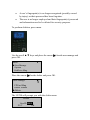
Press menu.
Use the scroll ▲/▼ keys and place the cursor ( ) beside user manage and
press OK.
Menu
►User Manage
Options
PenDrive Mng
▼
Place the cursor ( ) beside FPCard Mng and press OK.
User Manage
Enroll User
►FPCard Mng
Enroll Admin
▼
The US700 will prompt you with three enrollment types as seen below.
FPCard Mng
►Create PINCard
Enroll FPCard
Create FPCard
▼
Place the cursor ( ) beside create PINCard and press OK. The US700 will
provide you with a user ID. Press OK to continue.
Create PINCard
UserID 00001
F1/C
OK
Then you will be prompted to show your card over the reader. Flash your
card over the reader until you see the card number shown.
Create PINCard
Card Num 0123456
UserID 00001
F1/C
OK
If the card number is valid, press OK to confirm or press F1/C to cancel.
Then the US700 will prompt you to continue with the enrollment process.
New Enroll
Continue?
F1/C
OK
If you would like to enroll additional card users, press OK to continue. If
you are finished enrolling users, press F1/C twice to exit and return to the
fpcard mng menu.
FPCard Mng
▼
►Create PINCard
Enroll FPCard
Create FPCard
Press F1/C three additional times to return to the start up window.
Welcome
Check-In
HH:MM
MM/DD/YY DAY
D. Deleting Enrolled Users
You can delete fingerprints, passwords or an entire user. Deleting unused
templates makes room for new ones. It is imperative to delete user
information when:
•
A user’s fingerprint(s) is no longer recognized (possibly caused
by injury) or their password has been forgotten.
•
The user is no longer employed and their fingerprint(s)/ password
and information need to be deleted for security purposes.
To perform deletion, press menu.
Use the scroll ▲/▼ keys and place the cursor ( ) beside user manage and
press OK.
Menu
►User Manage
Options
PenDrive Mng
▼
Place the cursor ( ) beside delete and press OK.
User Manage
▲
▼
FPCard Mng
Enroll Admin
►Delete
The US700 will prompt you with the delete menu.
Delete
UserID 00001
F1/C
OK
Enter the user’s ID you wish to delete and press OK. Next, the US700 will
prompt to confirm the user’s ID you would like to delete and press OK.
Del Fingerprint(s)
00001-0
UserID 00001
F1/C
OK
If the user has additional fingerprints enrolled, the US700 will prompt you
with the choice of deleting each enrolled fingerprint (i.e. 00001-1,
00001-2, etc).
If a user has a password enrolled, the US700 will prompt you to delete the
password. Press OK to delete password.
Del Password
00001-P
UserID 00001
F1/C
OK
The US700 will prompt you for a final time that the user you want to delete
is correct. If it is correct, press OK to confirm deletion. If you wish to
cancel deletion, press F1/C.
Del User
00001
F1/C
OK
You will be redirected to the user manage menu.
User Manage
▲
▼
Enroll Admin
►Delete
Press F1/C two additional times to return to the start-up window.
Welcome
Check-In
HH:MM
MM/DD/YY DAY
VI. Changing Date and Time
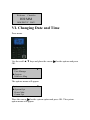
Press menu.
Use the scroll ▲/▼ keys and place the cursor ( ) beside options and press
OK.
Menu
User Manage
►Options
PenDrive Mng
▼
The options menu will appear.
Options
►System Opt
Power Mng
Comm Opt
▼
Place the cursor ( ) beside system option and press OK. The system
option menu will appear.
System Opt
►Date Time
Fmt
YY-MM-DD
Adv Option
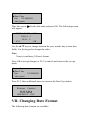
Place the cursor ( ) beside date time and press OK. The following screen
will appear.
YYYY-MM-DD 24H
2008- 4 – 1
20:26: 4
F1/C
OK
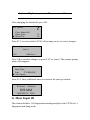
Use the ▲/▼ keys to change between the year, month, day or time data
fields. Use the keypad to change the value.
Note:
Time is in military (24-hour) format.
Press OK to accept changes or F1/C to cancel and return to the sys opt
menu.
System Opt
►Date Time
Fmt
Adv Option
YY-MM-DD
Press F1/C three additional times to return to the Start-Up window.
Welcome
Check-In
HH:MM
MM/DD/YY DAY
VII. Changing Date Format
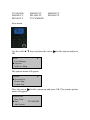
The following date formats are available:
YY.MM.DD
MM.DD.YY
DD.MM.YY
MM-DD-YY
DD-MM-YY
YYYYMMDD
MM/DD/YY
DD/MM/YY
Press menu.
Use the scroll ▲/▼ keys and place the cursor ( ) beside options and press
OK.
Menu
User Manage
►Options
PenDrive Mng
▼
The options menu will appear.
Options
►System Opt
Power Mng
Comm Opt
▼
Place the cursor ( ) beside system opt and press OK. The system options
menu will appear.
System Opt
Date Time
►Fmt
Adv Option
YY-MM-DD
Place the cursor ( ) beside fmt and press OK.
Note the YY-MM-DD becomes highlighted and will allow you to change
the format.
System Opt
Date Time
► Fmt
YY-MM-DD
Adv Option
Use the scroll ▲/▼ keys to change the date format and press OK to
confirm changes. Notice that the YY-MM-DD will no longer be
highlighted.
System Opt
Date Time
►Fmt
Adv Option
YY-MM-DD
Press F1/C to exit; the US700 will prompt you to save your changes.
System Opt
Save?
F1/C
OK (Save)
Press OK to accept changes or F1/C to cancel and return to the system
options menu.
System Opt
Date Time
► Fmt
YY-MM-DD
Adv Option
Press F1/C three additional times to return to the start up window.
Welcome
Check-In
HH:MM
MM/DD/YY DAY
VIII. Advanced Settings
Below are a list of available advanced settings and their options.
Reset Opts:
Restores all default factory settings. Does not delete user
fingerprint(s)/passwords or transactions/audit logs.
Del Att Logs:
Clears attendance/transaction log but not user fingerprint(s)/passwords.
Clear all Data:
Deletes both user data and attendance/audit logs.
Clr Admin Pri:
Change the rights of ALL administrator(s) to a normal user.
Show Score:
Display the score of the quality of the fingerprint(s) match.
1:N Fingerprint(s) Match Threshold:
Changes fingerprint(s)-matching “sensitivity”
Must Input ID:
Disable 1:N matching (users MUST first enter user ID number prior to
placing finger on sensor)
1:1 Fingerprint(s) Match Threshold
Changes fingerprint matching sensitivity
Voice
Option to turn voice prompts on or off
Card Only
Users clock-in ONLY with cards
FPCard Key
Enter Mifare card key
Update Firmware
Allows updating of US700 firmware
Button Beep
Option to turn audio beep on or off
Adjust Volume
Option to increase or decrease volume
A. Resetting the US700
Resetting your US700 will erase the current system settings but not user
fingerprints, passwords or attendance/audit logs.
Press menu.
Use the scroll ▲/▼ keys and place the cursor ( ) beside options and press
OK.
Menu
User Manage
►Options
PenDrive Mng
▼
The options menu will appear.
Options
►System Opt
Power Mng
Comm Opt
▼
Place the cursor ( ) beside system opt and press OK. The system options
menu will appear.
System Opt
Date Time
Fmt
►Adv Option
▼
YY-MM-DD
Place the cursor ( ) beside adv option and press OK. The advanced
options menu will appear.
▲
Adv Option
►Reset Opts.
Del Attlogs
Clear All Data
▼
Place the cursor ( ) beside reset opts and press OK to proceed with
restoring factory settings. Note your user data and attendance/audit logs
will remain.
Reset Opts.
Finished!
The US700 will prompt you will a finished message and you will be
redirected back to the advanced options menu.
▲
Adv Option
►Reset Opts.
Del Attlogs
Clear All Data
▼
Press F1/C four additional times to return to the start up window.
Welcome
Check-In
HH:MM
MM/DD/YY DAY
B. Deleting Attendance/Audit Logs
With the selection of this option, all attendance/audit logs will be deleted but
user fingerprints and passwords are not.
Press menu.
Use the scroll ▲/▼ keys and place the cursor ( ) beside options and press
OK.
Menu
User Manage
►Options
PenDrive Mng
▼
The options menu will appear.
Options
►System Opt
Power Mng
Comm Opt
▼
Place the cursor ( ) beside system opt and press OK. The system options
menu will appear.
System Opt
Date Time
Fmt
►Adv Option
▼
YY-MM-DD
Place the cursor ( ) beside adv option and press OK. The advanced
options menu will appear.
▲
Adv Option
Reset Opts.
►Del Attlogs
Clear All Data
▼
Place the cursor ( ) beside del attlogs. To erase all attendance/audit logs,
press OK.
Del Attlogs.
Delete?
F1/C
OK
The US700 will prompt you to delete this data. To proceed, press OK; to
cancel, press F1/C. The advanced options menu will reappear.
▲
Adv Option
Reset Opts.
►Del Attlogs
Clear All Data
▼
Press F1/C four additional times to return to the start up window.
Welcome
Check-In
HH:MM
MM/DD/YY DAY
C. Clear all Data
With the selection of this option, all user fingerprints passwords and
attendance/audit logs will be deleted.
Press menu.
Use the scroll ▲/▼ keys and place the cursor ( ) beside options and press
OK.
Menu
User Manage
►Options
PenDrive Mng
▼
The options menu will appear.
Options
►System Opt
Power Mng
Comm Opt
▼
Place the cursor ( ) beside system opt and press OK. The system options
menu will appear.
System Opt
Date Time
Fmt
►Adv Option
▼
YY-MM-DD
Place the cursor ( ) beside adv option and press OK. The advanced
options menu will appear.
▲
Adv Option
Reset Opts.
Del Attlogs
►Clear All Data
▼
Place the cursor ( ) beside clear all data and press OK.
The US700will prompt you to continue with the deletion process.
Clear All Data.
Continue?
F1/C
OK
Press OK to delete all data or press F1/C to cancel. The advanced options
menu will reappear.
▲
Adv Option
Reset Opts.
Del Attlogs
►Clear All Data
▼
Press F1/C four additional times to return to the start up window.
Welcome
Check-In
HH:MM
MM/DD/YY DAY
D. Clear Administrator Privileges
Selecting this option will revoke all administrative privileges and convert them to a
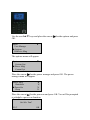
normal user. In addition, this enables all users access to the menu system, therefore,
reassigning an administrator immediately is recommended.
Press menu.
Use the scroll ▲/▼ keys and place the cursor ( ) beside options and press
OK.
Menu
User Manage
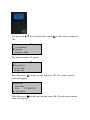
►Options
PenDrive Mng
▼
The options menu will appear.
Options
►System Opt
Power Mng
Comm Opt
▼
Place the cursor ( ) beside system opt and press OK. The system options
menu will appear.
System Opt
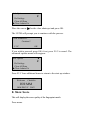
Date Time
Fmt
►Adv Option
▼
YY-MM-DD
Place the cursor ( ) beside adv option and press OK. The advanced
options menu will appear.
▲
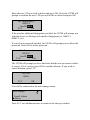
Adv Option
▼
Del Attlogs
Clear All Data
►Clear Admin Pri
Place the cursor ( ) beside clear admin pri and press OK.
The US700 will prompt you to continue with the process.
Clear Admin Pri.
Continue?
F1/C
OK
If you wish to proceed, press OK, if not, press F1/C to cancel. The
advanced options menu will reappear.
▲
Adv Option
▼
Del Attlogs
Clear All Data
►Clear Admin Pri
Press F1/C four additional times to return to the start up window.
Welcome
Check-In
HH:MM
MM/DD/YY DAY
E. Show Score
This will display the score quality of the fingerprint match.
Press menu.
Use the scroll ▲/▼ keys and place the cursor ( ) beside options and press
OK.
Menu
User Manage
►Options
PenDrive Mng
▼
The options menu will appear.
Options
►System Opt
Power Mng
Comm Opt
▼
Place the cursor ( ) beside system opt and press OK. The system options
menu will appear.
System Opt
Date Time
Fmt
►Adv Option
▼
YY-MM-DD
Place the cursor ( ) beside adv option and press OK. The advanced
options menu will appear.
▲
Adv Option
▼
.
Clear All Data
Clear Admin Pri
►Show Score
N
Place the cursor ( ) beside show score and press OK.
Notice the Y/ N in show score becomes highlighted. Use the scroll ▲/▼
keys to change yes or no. Press OK to confirm the change.
▲
Adv Option
Clear All Data
Clear Admin Pri
►Show Score
▼
N
Press F1/C to exit and the US700 will prompt you to save your changes.
System Opt.
Save ?
F1/C
OK (Save)
Press OK to confirm change or press F1/C to cancel. The system options
menu will reappear.
System Opt
Date Time
Fmt
►Adv Option
▼
YY-MM-DD
Press F1/C three additional times to return to the start up window.
Welcome
Check-In
HH:MM
MM/DD/YY DAY
F. 1:N Fingerprint(s) Match Threshold
This feature allows you to change the sensitivity setting of the sensor when
fingerprints are being matched.
Press menu.
Use the scroll ▲/▼ keys and place the cursor ( ) beside options and press
OK.
Menu
User Manage
►Options
PenDrive Mng
▼
The options menu will appear.
Options
►System Opt
Power Mng
Comm Opt
▼
Place the cursor ( ) beside system opt and press OK. The system options
menu will appear.
System Opt
▼
Date Time
Fmt
YY-MM-DD
►Adv Option
Place the cursor ( ) beside adv option and press OK. The advanced
options menu will appear.
▲
Adv Option
▼
Clear Admin Pri
Show Score
► Match Thr
N
45
Place the cursor ( ) beside match thr and press OK. Notice the 45 in
match threshold becomes highlighted.
▲
Adv Option
▼
Clear Admin Pri
Show Score
►Match Thr
N
45
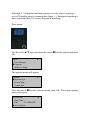
Use the keypad or scroll ▲/▼ keys to change the threshold setting.
Note: Decreasing the threshold will decrease the sensitivity of the sensor
when reading difficult fingerprints.
If the US700 is experiencing fingerprint reading difficulties, consider
decreasing the threshold in 5-unit increments until the vast majority of
users fingerprints can be read consistently.
If decreasing the threshold does not help improve fingerprint reads,
consider issuing PIN numbers for those users having difficulty with their
fingerprints being read.
Table 1—1 Suggested Match Threshold Settings
FRR
FAR
High
Low
Middle Middle
1:N (Many)
1:1
45
25
35
15
Low
High
25
10
After changing the threshold, press OK.
▲
Adv Option
▼
Clear Admin Pri
Show Score
► Match Thr
N
45
Press F1/C to exit and the US700 will prompt you to save new changes.
System Opt.
Save ?
F1/C
OK(Save)
Press OK to confirm changes or press F1/C to cancel. The system options
menu will reappear.
System Opt
Date Time
Fmt
YY-MM-DD
► Adv Option
Press F1/C three additional times to return to the start up window.
Welcome
Check-In
HH:MM
MM/DD/YY DAY
G. Must Input ID
This feature disables 1:N fingerprint matching and places the US700 in 1:1
fingerprint matching mode.
Although 1:1 fingerprint matching requires an extra step of entering a
user’s ID number prior to scanning their finger, 1:1 fingerprint matching is
more consistent than 1:N (many) fingerprint matching.
Press menu.
Use the scroll ▲/▼ keys and place the cursor ( ) beside options and press
OK.
Menu
User Manage
►Options
PenDrive Mng
▼
The options menu will appear.
Options
►System Opt
Power Mng
Comm Opt
▼
Place the cursor ( ) beside system opt and press OK. The system options
menu will appear.
System Opt
▼
Date Time
Fmt
YY-MM-DD
►Adv Option
Place the cursor ( ) beside adv option and press OK. The advanced
options menu will appear.
Adv Option
Show Score
Match Thr
►Mst Input ID
▲
▼
N
45
Y
Place the cursor ( ) beside must input ID and press OK. Notice the Y or N
for must input ID is highlighted.
Adv Option
Show Score
Match Thr
►Mst Input ID
▲
▼
N
45
Y
Use the scroll ▲/▼ keys to enter either Y or N. Press OK after making the
change.
Adv Option
Show Score
Match Thr
► Mst Input ID
▲
▼
N
45
Y
Press F1/C to exit and the US700 will prompt you to save your changes.
System Opt.
Save ?
F1/C
OK (Save)
Press OK to save changes or press F1/C to cancel. The system options
menu will reappear.
System Opt
Date Time
Fmt
►Adv Option
▼
YY-MM-DD
Press F1/C three additional times to return to the start up window.
Welcome
Check-In
HH:MM
MM/DD/YY DAY
H. 1:1 Fingerprint(s) Match Threshold
This feature allows you to change fingerprint sensor sensitivity.
Press menu.
Use the scroll ▲/▼ keys and place the cursor ( ) beside options and press
OK.
Menu
User Manage
►Options
PenDrive Mng
▼
The options menu will appear.
Options
►System Opt
Power Mng
Comm Opt
▼
Place the cursor ( ) beside system opt and press OK. The system options
menu will appear.
System Opt
Date Time
Fmt
►Adv Option
▼
YY-MM-DD
Place the cursor ( ) beside adv option and press OK. The advanced
options menu will appear.
Adv Option
Match Thr
Mst Input ID
►1:1 Thr
▲
▼
45
Y
35
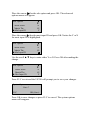
Place the cursor ( ) beside 1:1 thr and press OK. Notice the 35 in match
threshold becomes highlighted.
Adv Option
Match Thr
Mst Input ID
►1:1 Thr
▲
▼
45
Y
35
Use the keypad or scroll ▲/▼ keys to change the threshold setting.
Note: Decreasing the threshold decreases the fingerprint sensor
sensitivity.
If the US700 is experiencing fingerprint reading difficulties, consider
decreasing the threshold in 5-unit increments until the vast majority of
users fingerprints can be read consistently.
If decreasing the threshold does not help improve fingerprint reads,
consider issuing PIN numbers for those users having difficulty with their
fingerprints being read.
Table 1—1 Suggested Match Threshold Settings
FRR
FAR
1:N (many)
1:1
High
Low
45
25
Middle Middle
35
15
Low
25
10
High
After changing the threshold, press OK to confirm change.
Adv Option
Match Thr
Mst Input ID
►1:1 Thr
▲
▼
45
Y
35
Press F1/C to exit and the US700 will prompt you to save your changes.
System Opt.
Save ?
F1/C
OK (Save)
Press OK to confirm changes or press F1/C to cancel. The system options
menu will reappear.
System Opt
Date Time
Fmt
►Adv Option
▼
YY-MM-DD
Press F1/C three additional times to return to the start up window.
Welcome
Check-In
HH:MM
MM/DD/YY DAY
I. Voice
This option allows you to turn voice prompts on or off.
Press menu.
Use the scroll ▲/▼ keys and place the cursor ( ) beside options and press
OK.
Menu
User Manage
►Options
PenDrive Mng
▼
The options menu will appear.
Options
►System Opt
Power Mng
Comm Opt
▼
Place the cursor ( ) beside system opt and press OK. The system options
menu will appear.
System Opt
▼
Date Time
Fmt
YY-MM-DD
► Adv Option
Place the cursor ( ) beside adv option and press OK. The advanced
options menu will appear.
Adv Option
.
Mst Input ID
1:1 Thr
►Voice
▲
▼
Y
35
Y
Place the cursor ( ) beside voice and press OK. Notice the Y or N for
voice becomes highlighted.
Adv Option
.
Mst Input ID
1:1 Thr
►Voice
▲
▼
Y
35
Y
Use the scroll ▲/▼ keys to enter either Yes or No and press OK after
making the change
Adv Option
.
Mst Input ID
1:1 Thr
►Voice
▲
▼
Y
35
Y
Press F1/C to exit and the US700 will prompt you to save your changes.
System Opt.
Save ?
F1/C
OK (Save)
Press OK to confirm changes or press F1/C to cancel. The system options
menu will return.
System Opt
Date Time
Fmt
YY-MM-DD
► Adv Option
Press F1/C three additional times to return to the start up window.
Welcome
Check-In
HH:MM
MM/DD/YY DAY
J. Card Only
All fingerprints and passwords will be disabled (but not deleted).
Press menu.
Use the scroll ▲/▼ keys, place the cursor ( ) beside options and press
OK.
Menu
▼
User Manage
► Options
PenDrive Mng
The options menu will appear.
Options
►System Opt
Power Mng
Comm Opt
▼
Place the cursor ( ) beside system option and press OK. The system
options menu should appear.
System Opt
Date Time
Fmt
YY-MM-DD
► Adv Option
Place the cursor ( ) beside advanced option and press OK. The advanced
options menu will appear.
Adv Option
.
▼
1:1 Thr
Voice
► Card Only
▲
35
Y
Y
Place the cursor ( ) beside card only and press OK. Note the Y or N for
card only becomes highlighted.
▲
Adv Option
.
1:1 Thr
Voice
► Card Only
▼
35
Y
Y
Use the scroll ▲/▼ keys to enter yes or no and press OK to confirm the
new change.
Adv Option
▼
.
1:1 Thr
Voice
► Card Only
▲
35
Y
Y
Press F1/C to exit and the US700 will prompt you to save your changes.
System Opt.
Save ?
F1/C
OK (Save)
Press OK to accept changes or F1/C to cancel changes. The system
options menu will reappear.
System Opt
Date Time
Fmt
YY-MM-DD
► Adv Option
Press F1/C three additional times to return to the start up window.
Welcome
Check-In
HH:MM
MM/DD/YY DAY
K. FPCard Key
You will need to enter the fingerprint card key (also known as Mifare
card key).
Press menu.
Use the scroll ▲/▼ keys and place the cursor ( ) beside options and press
OK.
Menu
▼
User Manage
► Options
PenDrive Mng
The options menu will appear.
Options
►System Opt
Power Mng
Comm Opt
▼
Place the cursor ( ) beside sys opt and press OK. The system options
menu will appear.
System Opt
Date Time
Fmt
YY-MM-DD
► Adv Option
Place the cursor ( ) beside adv opt and press OK. The advanced options
menu will appear.
▲
Adv Option
▼
Y
N
Voice
Card Only
►FPCard Key
Place the cursor ( ) beside FPCard Key and press OK. Notice FPCard
Key becomes highlighted.
FPCard Key
____1
F1/C
OK
Use the keypad to enter the FPCard Key and when complete, press OK to
confirm. The advanced options menu will reappear.
▲
Adv Option
▼
Y
N
Voice
Card Only
►FPCard Key
Press F1/C four additional times to return to the start up window.
Welcome
Check-In
HH:MM
MM/DD/YY DAY
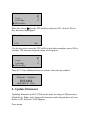
L. Update Firmware
Updating firmware on the US700 can be done by using a USB pen drive
(flash drive). Note: only change the firmware under the guidance of your
dealer or ZK Software Tech Support.
Press menu.
Use the scroll ▲/▼ keys and place the cursor ( ) beside options and press
OK.
Menu
▼
User Manage
► Options
PenDrive Mng
The options menu will appear.
Options
►System Opt
Power Mng
Comm Opt
▼
Place the cursor ( ) beside system option and press OK. The system
options menu will appear.
System Opt
Date Time
Fmt
YY-MM-DD
► Adv Option
Place the cursor ( ) beside advanced option and press OK. The advanced
options menu will appear.
Adv Option
Card Only
FPCard Key
► Upd Firmware
▲
▼
N
Place the cursor ( ) beside upd firmware and press OK. You will be
instructed to plug in your pen drive.
Plug Pen Drive?
Insert the USB pen drive (flash drive) containing the upgrade file into the
USB port.
The US700 will automatically recognize the upgraded firmware file and
will prompt you with instructions.
When complete, press OK and the advanced option menu will reappear.
▲
Adv Option
Card Only
FPCard Key
► Upd Firmware
▼
N
Press F1/C four additional times to return to the start up window.
Welcome
Check-In
HH:MM
MM/DD/YY DAY
M. Button Beep
Allows you to turn on or off sound.
Press menu.
Use the scroll ▲/▼ keys and place the cursor ( ) beside options and press
OK.
Menu
User Manage
► Options
PenDrive Mng
▼
The options menu will appear.
Options
►System Opt
Power Mng
Comm Opt
▼
Place the cursor ( ) beside system option and press OK. The system
options menu will appear.
System Opt
Date Time
Fmt
YY-MM-DD
►Adv Option
Place the cursor ( ) beside advanced option and press OK.
The advanced options menu will appear.
Adv Option
► Button Beep
Y
▲
▼
Place the cursor ( ) beside button beep and press OK. Note the Y or N for
button beep becomes highlighted.
▲
Adv Option
▼
Y
► Button Beep
Use the scroll ▲/▼ keys to enter either Y or N and press OK to confirm
the change.
▲
Adv Option
▼
Y
► Button Beep
Press F1/C to exit and the US700 will prompt you to save your changes.
System Opt.
Save ?
F1/C
OK (Save)
Press OK to accept or press F1/C to cancel. Once confirmed, the system
options menu will reappear.
System Opt
Date Time
Fmt
YY-MM-DD
► Adv Option
Press F1/C three additional times to return to the start up window.
Welcome
Check-In
HH:MM
MM/DD/YY DAY
N. Adjust Volume
Allows you to increase or decrease volume on your US700.
Press menu.
Use the scroll ▲/▼ keys and place the cursor ( ) beside options and press
OK.
Menu
User Manage
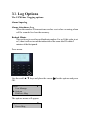
► Options
PenDrive Mng
▼
The options menu will appear.
Options
►System Opt
Power Mng
Comm Opt
▼
Place the cursor ( ) beside system option and press OK. The system
options menu will appear.
System Opt
Date Time
Fmt
YY-MM-DD
► Adv Option
Place the cursor ( ) beside advanced option and press OK. The advanced
options menu will appear.
▲
Adv Option
▼
Y
70
Button Beep
► Adj VOL (%)
Place the cursor ( ) beside adj vol and press OK. Note the 70 will become
highlighted.
▲
Adv Option
▼
Y
70
Button Beep
► Adj VOL (%)
Use the keypad or scroll ▲/▼ keys to adjust the volume and press OK to
confirm changes.
▲
Adv Option
▼
Y
70
Button Beep
► Adj VOL (%)
Press F1/C to exit and the US700 will prompt you to save your changes.
System Opt.
Save ?
F1/C
OK (Save)
Press OK to accept changes or F1/C to cancel changes. After confirming,
the system options menu will reappear.
System Opt
Date Time
Fmt
YY-MM-DD
► Adv Option
Press F1/C three additional times to return to the start up window.
Welcome
Check-In
HH:MM
MM/DD/YY DAY
IX. Power Management
There are various power modes that can be selected. Below is a brief
description of each option and steps displaying how to access these modes.
Shut down schedule
Turn off the power at pre-defined times.
Power on schedule
Turn on the power at pre-defined times.
Sleep schedule
Enable sleep mode at pre-defined times.
Press any key to bring the US700out of sleep mode.
Idle
This setting determines if the US700should remain idle indefinitely
or if it should enter “Sleep Mode” after a specified period of time.
Idle Minute
This setting determines how long the US700can remain idle prior to
entering sleep mode.
Lock Power (Yes or No)
A. Set Shutdown Schedule
Press menu.
Use the scroll ▲/▼ keys and place the cursor ( ) beside options and press
OK.
Menu
User Manage
►Options
PenDrive Mng
▼
The options menu will appear.
Options
System Opt
►Power Mng
Comm Opt
▼
Place the cursor ( ) beside power manage and press OK. The power
manage menu will appear.
Power Mng
►Shutdown
PowerOn
Sleep
▼
N
N
N
Place the cursor ( ) beside shutdown and press OK. You will be prompted
to schedule the shutdown function. Press OK to proceed.
Shutdown
Set Sch. Fun?
F1/C
OK
Note the 23:59 in shutdown becomes highlighted.
▼
23:59
N
N
Power Mng
►Shutdown
PowerOn
Sleep
Use the scroll ▲/▼ keys or the keypad to change the hour and time the
US700 should shutdown.
Press OK to confirm the change then press F1/C to exit. The US700 will
prompt you to save the change.
Power Mng.
Save ?
F1/C
OK (Save)
Press OK to accept or press F1/C to cancel the change. Note the options
menu will reappear.
▼
Options
System Opt
►Power Mng
Comm Opt
Press F1/C twice to return to the start up window.
Welcome
Check-In
HH:MM
MM/DD/YY DAY
B. Set Power On Schedule
Press menu.
Use the scroll▲/▼ keys and place the cursor ( ) beside options and press
OK.
Menu
User Manage
►Options
PenDrive Mng
▼
The options menu will appear.
Options
System Opt
►Power Mng
Comm Opt
▼
Place the cursor ( ) beside power manage and press OK. The power
manage menu will appear.
Power Mng
Shutdown
►PowerOn
Sleep
▼
N
N
N
Place the cursor ( ) beside poweron and press OK. You will be prompted
to schedule a power on function.
PowerOn
Set Sch. Fun?
F1/C
OK
Press OK to proceed with scheduling the PowerOn Function. Note the
23:59 in poweron becomes highlighted.
▼
N
23:59
N
Power Mng
Shutdown
►PowerOn
Sleep
Use the scroll ▲/▼ keys and keypad to change the hour and time the
US700 should power on. Press OK to save the change.
▼
23:59
N
N
Power Mng
Shutdown
►PowerOn
Sleep
Press F1/C to exit and the US700 will prompt you to save your change.
Power Mng.
Save ?
F1/C
OK (Save)
Press OK to accept changes or F1/C to cancel. The options menu will
reappear.
▼
Options
System Opt
►Power Mng
Comm Opt
Press F1/C two additional times to return to the start up window.
Welcome
Check-In
HH:MM
MM/DD/YY DAY
C. Set Sleep Schedule
Press menu.
Use the scroll ▲/▼ keys and place the cursor ( ) beside options and press
OK.
Menu
User Manage
►Options
PenDrive Mng
▼
The options menu will appear.
Options
System Opt
►Power Mng
Comm Opt
▼
Place the cursor ( ) beside power manage and press OK. The power
manage menu will appear.
Power Mng
Shutdown
PowerOn
►Sleep
▼
N
N
N
Place the cursor ( ) beside sleep and press OK.
You will be prompted to schedule the sleep function.
Sleep
Set Sch. Fun?
F1/C
OK
Press OK to schedule the sleep function. Note the 23:59 in sleep becomes
highlighted.
Power Mng
►Shutdown
PowerOn
Sleep
▼
N
N
23:59
Use the scroll ▲/▼ keys and keypad to change the hour and time the
US700 should sleep. Press OK to confirm change.
Power Mng
Shutdown
PowerO
►Sleep
▼
N
N
23:59
Press F1/C to exit and the US700 will prompt you to save your change.
Sleep.
Save ?
F1/C
OK (Save)
Press OK to accept change or press F1/C to cancel. The options menu
will reappear.
Options
System Opt
►Power Mng
Comm Opt
▼
Press F1/C two additional times to return to the start up window.
Welcome
Check-In
HH:MM
MM/DD/YY DAY
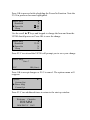
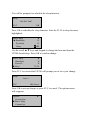
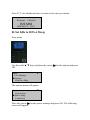
D. Set Idle to Off or Sleep
Press menu.
Use the scroll ▲/▼ keys and place the cursor ( ) beside options and press
OK.
Menu
User Manage
►Options
PenDrive Mng
▼
The options menu will appear.
Options
System Opt
►Power Mng
Comm Opt
▼
Place the cursor ( ) beside power manage and press OK. The following
screen will appear.
▲
Power Mng
▼
N
N
SLP
PowerOn
Sleep
►Idle
Place the cursor ( ) beside idle and press OK.
▲
Power Mng
▼
N
N
SLP
PowerOn
Sleep
►Idle
Use the scroll ▲/▼ keys to change the idle mode to sleep or off. When
complete, press OK to confirm change.
▲
Power Mng
▼
N
N
SLP
PowerOn
Sleep
►Idle
Press F1/C to exit and the US700 will prompt you to save your change.
Power Mng
Save ?
F1/C
OK (Save)
Press OK to accept change or press F1/C to cancel. The options menu
will reappear.
Options
System Opt
►Power Mng
Comm Opt
▼
Press F1/C two additional times to return to the start up window.
Welcome
Check-In
HH:MM
MM/DD/YY DAY
E. Set Idle Minutes
Press menu.
Use the scroll ▲/▼ keys and place the cursor ( ) beside options and press
OK.
Menu
User Manage
►Options
PenDrive Mng
▼
The options menu will appear.
Options
System Opt
►Power Mng
Comm Opt
▼
Place the cursor ( ) beside power manage and press OK. The power
manage menu will appear.
▲
Power Mng
▼
N
SLP
0
Sleep
Idle
►Idle Min
Place the cursor ( ) beside idle min and press OK. Note the 0 in idle min
becomes highlighted.
▲
Power Mng
▼
N
SLP
0
Sleep
Idle
►Idle Min
Use the scroll ▲/▼ keys to change the idle minutes and press OK to
confirm change.
▲
Power Mng
▼
N
SLP
0
Sleep
Idle
►Idle Min
Press F1/C to exit and the US700 will prompt you to save the change.
Power Mng
Save ?
F1/C
OK (Save)
Press OK to accept change or press F1/C to cancel. The options menu
will reappear.
Options
System Opt
►Power Mng
Comm Opt
▼
Press F1/C two additional times to return to the start up window.
Welcome
Check-In
HH:MM
MM/DD/YY DAY
F. Lock Power
Press menu.
Use the scroll ▲/▼ keys and place the cursor ( ) beside options and press
OK.
Menu
User Manage
►Options
PenDrive Mng
▼
The options menu will appear.
Options
System Opt
►Power Mng
Comm Opt
▼
Place the cursor ( ) beside power manage and press OK. The power
manage menu will appear.
▲
Power Mng
Idle
Idle Min
►Lock Power
▼
SLP
0
Y
Place the cursor ( ) beside lock power and press OK. Note the Y in lock
power becomes highlighted.
▲
Power Mng
Idle
Idle Min
►Lock Power
▼
SLP
0
Y
Use the scroll ▲/▼ keys to change the Y or N in lock power. Press OK to
confirm change.
▲
Power Mng
Idle
Idle Min
►Lock Power
▼
SLP
0
Y
Press F1/C to exit and the US700 will prompt you to save the change.
Power Mng
Save ?
F1/C
OK (Save)
Press OK to accept change or press F1/C to cancel. The options menu
will reappear.
Options
System Opt
►Power Mng
Comm Opt
▼
Press F1/C two additional times to return to the start up window.
Welcome
Check-In
HH:MM
MM/DD/YY DAY
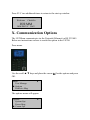
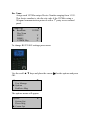
X. Communication Options
The US700can communicate via the Network (Ethernet) or RS 232/485.
Below are instructions on how to reach this option in the US700.
Press menu.
Use the scroll ▲/▼ keys and place the cursor ( ) beside options and press
OK.
Menu
User Manage
► Options
PenDrive Mng
▼
The options menu will appear.
Options
System Opt
Power Mng
► Comm Opt
▼
Place the cursor ( ) beside comm option and press OK. The following
communication settings are available.
Comm Opt
► IP Addr
NetMask
Gateway
Net Speed
BaudRate
Dev Num
RS232
RS485
COMM Key
▼
AUTO
115200
Y
N
0
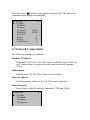
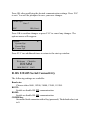
A. Network Connectivity
The following settings are available.
Machine IP address
Default IP is 192.168.1.201. This can be modified, but do NOT use
an IP address that is being used on the same network by another
device.
Subnet mask
Default mask 255.255.255.0. This can be modified.
Gateway address
Default gateway address is 0.0.0.0. This can be modified.
Network speed
Notice three available options (Automatic, 10M and 100M).
Comm Opt
► IP Addr
NetMask
Gateway
Net Speed
▼
To change network settings begin at the start up window and press menu.
Use the scroll ▲/▼ keys and place the cursor ( ) beside options and press
OK.
Menu
User Manage
► Options
PenDrive Mng
▼
The options menu will appear.
Options
System Opt
Power Mng
► Comm Opt
▼
Place the cursor ( ) beside comm. opt and press OK. The following
network communication settings are available.
Comm Opt
► IP Addr
NetMask
Gateway
Net Speed
▼
AUTO
Use the scroll ▲/▼keys and place the cursor beside the desired field and
change the communication setting as desired.
Press OK after modifying the desired communication settings. Press F1/C
to exit. You will be prompted to save your new changes.
Comm Opt.
Save ?
ESC
OK (Save)
Press OK to confirm changes or press F1/C to cancel any changes. The
options menu will reappear.
▼
Options
System Opt
Power Mng
► Comm Opt
Press F1/C two additional times to return to the start up window.
Welcome
Check-In
HH:MM
MM/DD/YY DAY
B. RS 232/485 Serial Connectivity
The following settings are available:
Baud rate:
Choose either 9600, 19200, 38400, 57600, 115200.
RS232:
Enable or disable RS 232 communication.
RS485:
Enable or disable RS 485 communication.
COMM Key:
Secure the Serial connection with a Key (password). The default value is set
to 0.
Dev Num:
Assign each US700a unique Device Number ranging from 1-255.
This device number is also the site code if the US700is using a
Wiegand communication protocol with a 3rd party access control
panel.
Comm Opt
► BaudRate
Dev Num
RS232
RS485
COMM Key
▼
115200
Y
N
0
To change RS 232/485 settings press menu.
Use the scroll ▲/▼ keys and place the cursor ( ) beside options and press
OK.
Menu
User Manage
► Options
PenDrive Mng
▼
The options menu will appear.
Options
System Opt
Power Mng
► Comm Opt
▼
Place the cursor ( ) beside comm opt and press OK. The following RS
232/485 communication settings are available.
Comm Opt
► BaudRate
Dev Num
RS232
RS485
COMM Key
▼
115200
Y
N
0
Place the cursor beside the desired field and change the communication
setting as desired. Press OK to confirm changes.
When finished, press F1/C to exit. You will be prompted to save your
changes.
Comm Opt.
Save ?
ESC
OK (Save)
Press OK to save new changes or press F1/C to cancel. The options menu
will reappear.
▼
Options
System Opt
Power Mng
► Comm Opt
Press F1/C two additional times to return to the start up window.
Welcome
Check-In
HH:MM
MM/DD/YY DAY
XI. Log Options
The US700 has 3 logging options:
Alarm Superlog
Alarm Attendance Log
When the number of transactions reaches a set value a warning alarm
will be sounded to clear the memory.
Recheck Minute
This can be set to avoid record duplicate punches. For eg. If this value is set
as 2, then it will not record the transaction of the same user ID within 2
minutes of the first punch.
Press menu.
Use the scroll ▲/▼ keys and place the cursor ( ) beside options and press
OK.
Menu
User Manage
► Options
PenDrive Mng
▼
The options menu will appear.
Options
Power Mng
▼
Comm Opt
► Log Opt
Place the cursor ( ) beside log option and press OK. The following screen
appears.
Log Opt
► Alm SupperLog
▼
10
Alm SupperLog
► Alm AttLog
▼
10
Alm AttLog
► Recheck Min
▲
0
Place the cursor beside the desired field, press OK to access that field and
modify your settings. When finished, press F1/C to exit. You will be
prompted to save your changes.
Comm Opt.
Save ?
ESC
OK (Save)
Press OK to confirm new changes or press F1/C to cancel. The options
menu will reappear.
▼
Options
System Opt
Power Mng
► Comm Opt
Press F1/C two additional times to return to the start up window.
Welcome
Check-In
HH:MM
MM/DD/YY DAY
XII. Access Control
The US700 is also an access control terminal.
Using the US700 with 3rd Party Door Control Panels:
WHEN THE US700 IS USED WITH A 3RD PARTY
ACCESS CONTROL PANEL, THE US700 SOLE
FUNCTION IS VERIFYING THE IDENTITY OF THE
USERS.
AFTER AN IDENTITY IS VERIFIED, THE US700 SENDS
A 26-BIT WIEGAND SIGNAL TO A 3RD PARTY
CONTROL PANEL PROVIDING ONLY USER-ID
MATCH CONFIRMATION.
IT IS A 3RD PARTY PANEL AND NOT THE US700
WHICH CONTROLS DOOR ACCESS IN THIS
CONFIGURATION.
THEREFORE, USING THE US700 WITH A 3RD PARTY
DOOR CONTROL PANEL, REFER ALL
ACCESS-RELATED QUESTIONS TO THE 3RD PARTY
CONTROL PANEL MANUFACTURER AND NOT ZK
SOFTWARE.
US700 as a STAND-ALONE Door Controller
The US700 has five main access control options:
Time Period Settings:
Defines time periods which doors-access is granted or denied (i.e.
Weekdays, Weekends, 9-5 day shift, Shift 2, Midnight Shift,
holidays, etc).
Group Options:
Creates groups containing users with the same access rights.
Assigning time periods to Groups:
Assign time periods to groups based upon group access rights.
Access Combinations
Only allows door-access when multiple authorized
users/administrators are present. No single user/administrator can
access the door unless another authorized user/administrator is
present.
Lock:
Set how long door-lock remains open after an authorized
user/administrator opens the door.
DSen. Delay:
The door sensor delay determines how long to keep the door
unlocked, after an authorized user opens the door.
Verification Flow of Access Options
User places the fingerprint
F
ifi ti
No
User
Records entry but can’t unlock
GRP TZ
No
Yes
Yes
TimePeriod Deny
No
Effective TZ
Yes
No
User GRP in
unlocking
Comb
Yes
T&A
Satisfy certain
unlocking
combination
No
Next GRP user
Yes
Combine to unlock door
A. Time Period Settings
A time period is a user-defined period of time when the door remains
accessible or inaccessible to specified users or groups of users.
Examples of time periods include work shifts, work days, weekends,
holidays, annual company closings, etc.
The US700 can store up to 50 time periods and each user can be assigned
up to three different time periods. If a user belongs to multiple time
periods, then they have door-access during all those time periods assigned
to them.
Example:
Time Period 1 (TP No. 1) is weekend-access ONLY.
Time Period 2 (TP No. 2)) is weekday-access ONLY.
If a user belongs to BOTH TP1 and TP2, they has access all 7 days of
the week
Time Periods use an “OR” Logic.
Every time period has a start and end time and adhere to the format
HH:MM - HH:MM. Time periods are based on a 24-hour clock (no AM
or PM).
To prohibit users for a 24-hour period, create the following Time Period:
23:59 - 23:58. This means there is no door access starting at 11:59 pm
until 11:58 pm the following day. The door is always inaccessible, even
though the user is enrolled in the US700.
To allow unrestricted door access for a 24-hour period, create the
following Time Period: 00:00-23:59. This means there is unrestricted
access starting at Midnight until 11:59 PM. The door is always accessible
to users enrolled on the US700.
Below is a visual process on how to create time periods.
Press menu.
Use the scroll ▲/▼ keys and place the cursor ( ) beside options and press
OK.
Menu
User Manage
► Options
PenDrive Mng
▼
The options menu will appear.
Options
Comm Opt
Log Opt
► Access Options
▼
Place the cursor ( ) beside access options and press OK. The options
menu will appear.
Access Options
► Define TP
User Acc Opts
GRP TP Define
▼
Place the cursor ( ) beside define TP and press OK. The following screen
will appear.
Define TP
TP No.
__1
F1/C
OK
Press OK to accept time period number 1 (TP 1). The following screen
will appear.
Def TP 1
► Sun 00:00 – 23:59
Mon 00:00 – 23:59
Tue 00:00 – 23:59
▼
Use the scroll ▲ / ▼ keys and keypad to program the start and end times
for the various days of the week.
When finished, press F1/C to exit. You will be prompted to save your
changes.
Def TP 1
Save?
F1/C
OK (Save)
Press the OK to save changes or F1/C to cancel. After selecting either
option, the access options menu will reappear.
▼
Access Options
► Define TP
User Acc Opts
GRP TP Define
Below are various examples of creating time periods.
Restricting Door Access to Weekdays only:
Def TP 1
► Sun 00:00 –
Mon 00:00 –
Tue 00:00 –
Wed 00:00 –
Thu 00:00 –
Fri
00:00 –
Sat 00:00 –
▼
23:59
23:59
23:59
23:59
23:59
23:59
23:59
In the above figure, notice each day is programmed with 00:00-23:59.
This means the doors are accessible to authorized users all the time.
If your operating hours are typically Monday-Friday 9am to 5pm, it is
unlikely that your employees will need door access on the weekends.
Therefore, you might consider creating a weekend time period as seen
below:
Def TP 1
► Sun 23:59 –
Mon 00:00 –
Tue 00:00 –
Wed 00:00 –
Thu 00:00 –
Fri
00:00 –
Sat
23:59 –
▼
23:58
23:59
23:59
23:59
23:59
23:59
23:58
It is a good idea to create a time period during which all doors remain
inaccessible. Establishing this time period during the holiday is when it is
typically used.
An example of restricting door access completely.
Def TP 2
► Sun 23:59 –
Mon 23:59 –
Tue 23:59 –
Wed 23:59 –
Thu 23:59 –
Fri
23:59 –
Sat
23:59 –
▼
23:58
23:58
23:58
23:58
23:58
23:58
23:58
In the above figure, each day is programmed with 23:59 – 23:58. This
means the doors are not accessible to authorized users all the time.
If your employees have two different work shifts, you might consider a
time period for each work shift.
Example of restricting door access to shift 1 employees.
If shift 1 employees work 9 a.m. to 5 p.m. and shift 2 employees work 5
p.m. to 1 a.m., consider creating Time Period 2 (TP 2) for shift 1
employees. This will deny door access to shift 1 employees’ after 5:00pm
during the week. Shift 1 employees will also be denied door access
throughout the weekend.
Evening and weekend-restricted door access is shown below:
Def TP 2
► Sun 23:59 – 23:58
Mon 09:00 – 17:00
Tue 09:00 – 17:00
Wed 09:00 – 17:00
Thu 09:00 – 17:00
Fri
09:00 – 17:00
Sat
23:59 – 23:58
▼
B. Group Time Period Settings
It is critical that you create time periods before assigning individuals to
their respective groups. This saves time and enforces the programming of
group access rights once. \
Press menu.
Use the scroll ▲/▼ keys and place the cursor ( ) beside options and press
OK.
Menu
User Manage
► Options
PenDrive Mng
▼
The options menu will appear.
▼
Options
Comm Opt
Log Opt
► Access Options
Place the cursor ( ) beside access options and press OK. The options
menu will appear.
▼
Access Options
Define TP
User Acc Opts
► GRP TP Define
Place the cursor ( ) beside grp tp define and press OK. The following
screen will appear.
GRP TP Define
Group No..
__1
F1/C
OK
To accept group no 1, press the OK. The following screen will appear.
GRP1 Def TP
TP1
TP2
TP3
___1
Place the cursor ( ) beside the time period you are adding a group number
to. When finished, press F1/C to exit. You will be prompted to save your
changes.
GRP Def TP
Save?
F1/C
OK (Save)
Press OK to accept changes or F1/C to cancel. After choosing an option,
you will return to the access options menu.
Access Options
Define TP
User Acc Opts
► GRP TP Define
▼
Press F1/C three additional times to return to the start up window.
Welcome
Check-In
HH:MM
MM/DD/YY DAY
C. User Access Options
After a user has been enrolled, you can define their door access options by
assigning them to groups that are defined by time periods.
Press menu.
Use the scroll ▲/▼ keys and place the cursor ( ) beside options and press
OK.
Menu
User Manage
► Options
PenDrive Mng
▼
The options menu will appear.
▼
Options
Comm Opt
Log Opt
► Access Options
Place the cursor ( ) beside access options and press OK. The options
menu will appear.
▼
Access Options
Define TP
► User Acc Opts
GRP TP Define
Place the cursor ( ) beside user acc opts and press OK. The following
screen will appear.
User Acc Opts
User ID ____1
F1/C
OK
Select the user ID number you want to change door access options to and
press OK.
User 00001 Opt
► Belong to GRP
Use Grp TPs
TP1
▼
1
Y
3
Place the cursor ( ) beside the value you wish to change and press OK to
proceed.
Indicate which group number that user ID 00001 will belong to and the
time periods associated with group number 1 will apply to User ID 00001.
User 00001 Opt
Save ?
F1/C
OK (Save)
Press the OK key to accept changes or press F1/C to cancel. After
choosing an option, you will be redirected to the access options menu.
Access Options
Define TP
► User Acc Opts
GRP TP Define
▼
Press F1/C two additional times to return to the start up window.
Welcome
Check-In
HH:MM
MM/DD/YY DAY
D. Access Combination Settings
The US700 can be configured where 2 to 5 users need to present their
authorized fingerprints prior to the door opening. This is called multi-user
combination.
Multi-user combination provides the highest level of door security, which
is common when protecting critical assets or the safety of the public.
Typical multi-user combination applications include:
• Financial Assets (bank vaults, safes, etc)
• Bio hazardous waste (hospitals).
• Utility plants (i.e. nuclear)
• Weapons Systems
If only one user of a multi-user combination group attempts access to the
door without the others, the door will not open.
Press menu.
Use the scroll ▲/▼ keys and place the cursor ( ) beside options and press
OK.
Menu
User Manage
► Options
PenDrive Mng
▼
The options menu will appear.
Options
Comm Opt
Log Opt
► Access Options
▼
Place the cursor ( ) beside access options and press OK. The access
options menu will appear.
Access Options
User Acc Opts
GRP TP Define
► Access Comb
▼
Place the cursor ( ) beside access comb and press OK. The following
screen will appear.
Access Comb
Comb 1
Comb 2
Comb 3
▼
1
Scroll with the ▲/▼ keys and indicate which combinations of “Groups”
will be necessary to clock-in, prior to the door releasing.
Press OK to accept changes or press F1/C to cancel any changes. After
choosing either option, you will be redirected to the access options menu.
▼
Access Options
User Acc Opts
GRP TP Define
► Access Comb
Examples of unlocking/access combinations.
Access Comb
Comb 1
123
Comb 1
Comb 2
4
Comb 2
Comb 3
24
Comb 2
Comb 3
45
Comb 2
Combillustrates
3
15
The above
5 combinations;
•
•
•
123 is a combination.
4 is a combination.
24 is a combination.
•
•
45 is a combination.
15 is a combination.
Access Comb
Comb 1
123
Comb 2
4
Comb 2
Comb 3
24
Comb 2
Comb 3
45
Comb 2
Comb 3
15
Combination 1:
When any users belonging to group 1, group 2 and group 3 are all present,
the door will only open when all 3 Group members place their fingers on
the US700 consecutively.
Combination 3:
When any 2 users belonging to group 4 and group 5 are both present, the
door will only release when both users place their fingers on the US700.
E. Lock
The door lock control setting determines how long the door will remain
open (unlocked) after a user gains access.
Press menu.
Use the scroll ▲/▼ keys and place the cursor ( ) beside options and press
OK.
Menu
User Manage
► Options
PenDrive Mng
▼
The options menu will appear.
Options
Comm Opt
Log Opt
► Access Options
▼
Place the cursor ( ) beside access options and press OK. The access
options menu will appear.
Access Options
▲
▼
GRP TP Define
Access Comb
► Lock
150
Place the cursor ( ) beside lock and press OK to change to desired time.
When the desired time is set, press OK to set lock time.
Note the default is 150 ms (approximately 7 seconds). Press F1/C to exit
and you will be prompted to save your changes.
System Opt
Save ?
F1/C
OK (Save)
Press OK to accept change or press F1/C to cancel change. After selecting
confirming, you will be redirected to the options menu.
Options
Comm Opt
Log Opt
► Access Options
▼
Press F1/C two additional times to return to the start up window.
Welcome
Check-In
HH:MM
MM/DD/YY DAY
F. Door Sensor Delay
The door sensor delay determines how long the door will remain unlocked
after an authorized user opens the door.
Press menu.
Use the scroll ▲/▼ keys and place the cursor ( ) beside options and press
OK.
Menu
User Manage
► Options
PenDrive Mng
▼
The options menu will appear.
Options
Comm Opt
Log Opt
► Access Options
▼
Place the cursor ( ) beside access options and press OK. The following
screen will appear.
Access Options
▲
Access Comb
Lock
► DSen. Delay
150
10
▼
Place the cursor ( ) beside dSen delay. Note that the default is 10. If you
would like to change this number, press OK and use the scroll keys or
keypad to change the number.
Access Options
▲
Access Comb
Lock
► DSen. Delay
150
10
▼
When finished, press OK then F1/C. You will be prompted to save your
changes.
System Opt
Save ?
F1/C
OK (Save)
Press OK to confirm changes or press F1/C to cancel changes. You will be
redirect to the options menu.
Options
Power Mng
Comm Opt
Log Opt
► Access Options
▼
Press F1/C two additional times to return to the start up window.
Welcome
Check-In
HH:MM
MM/DD/YY DAY
G. Door Sensor Mode
Dsen. mode has 3 options.
No - No use door magnistor
NC - When the door is open, the lock is open.
None - When the door is closed, the lock is closed
Press menu.
Use the scroll ▲/▼ keys and place the cursor ( ) beside options and press
OK.
Menu
User Manage
► Options
PenDrive Mng
▼
The options menu will appear.
Options
Comm Opt
Log Opt
► Access Options
▼
Place the cursor ( ) beside access options and press OK. The access
options menu will appear.
Access Options
Lock
DSen. Delay
► DSen. Mode
▼
▲
150
10
NONE
Place the cursor ( ) beside dSen mode. Note that the default is set to none.
If you wish to change it, press OK and use the scroll keys to change the
mode to no or nc.
▼
Access Options
▲
Lock
DSen. Delay
► DSen. Mode
150
10
NONE
When finished, press OK twice to save change then press F1/C to exit.
You will be prompted to save your changes.
System Opt
Save ?
F1/C
OK (Save)
Press OK to confirm changes or press F1/C to cancel changes. You will be
redirected to the options menu.
Options
Comm Opt
Log Opt
► Access Options
▼
Press F1/C two additional times to return to the start up window.
Welcome
Check-In
HH:MM
MM/DD/YY DAY
H. Door Sensor Alarm
The Door Sensor Delay determines how long the door will remain OPEN
until the US700 sends an alarm.
Press menu.
Use the scroll ▲/▼ keys and place the cursor ( ) beside options and press
OK.
Menu
User Manage
► Options
PenDrive Mng
▼
The options menu will appear.
Options
Comm Opt
Log Opt
► Access Options
▼
Place the cursor ( ) beside access options and press OK. The access
options menu will appear.
Access Options
DSen. Delay
DSen. Mode
► DSen. Alarm
▲
▼
10
NONE
30
Place the cursor ( ) beside dSen alarm. Note the default is set to 30.
If you wish to change this value, press OK and use the scroll keys or
keypad to change the value.
▲
Access Options
▼
10
NONE
30
DSen. Delay
DSen. Mode
► DSen. Alarm
When finished, press OK twice and press F1/C to exit. You will be
prompted to save your changes.
System Opt
Save ?
F1/C
OK (Save)
Press OK to confirm changes or press F1/C to cancel changes. You will be
redirected to the options menu.
Options
Comm Opt
Log Opt
► Access Options
▼
Press F1/C two additional times to return to the start up window.
Welcome
Check-In
HH:MM
MM/DD/YY DAY
I. Duress Options
The US700 provides users a duress (“manual alarm”) button.
If a user registered a duress finger, a manual alarm can be triggered when
recognized by the US700.
Note: the duress finger does not open the door, it only triggers an alarm.
Press menu.
Use the scroll ▲/▼ keys and place the cursor ( ) beside options and press
OK.
Menu
User Manage
► Options
PenDrive Mng
▼
The options menu will appear.
Options
Comm Opt
Log Opt
► Access Options
▼
Place the cursor ( ) beside access options and press OK. The access
options menu will appear.
Access Options
DSen. Mode
DSen. Alarm
► Duress Options
▲
▼
NONE
30
Place the cursor ( ) beside duress options and press OK. The duress
options menu will appear.
OK.
Duress Options
► Duress FP.
Help Key
1:1 Trg
▲
▼
N
N
Place the cursor ( ) beside duress FP and press OK. The duress fp menu
will appear.
Duress FP.
► New Enrollment.
Def. Duress FP
Undef Duress FP
▲
▼
You have the following choices:
New Enrollment
adding a duress fingerprint to an existing user
Define Duress Fingerprint
Adding duress to an existing user already-enrolled fingerprint.
Undefine Duress Fingerprint
removing duress from an existing user’s enrolled fingerprint. This
will not delete the fingerprint but the fingerprint will no longer have
duress status.
Duress FP.
► New Enrollment.
Def. Duress FP
Undef Duress FP
▲
▼
New Enrollment
If you are adding a duress fingerprint, select new enrollment and press OK.
OK
Define Duress Fingerprint
If you are adding/defining duress to an existing user’s fingerprint, select
def duress FP and press OK. Then indicate which user ID you will be
adding duress to and press OK.OK.
Next indicate which finger will receive duress status by pressing OK or
F1/C as you scroll through the user’s fingerprints.
Undefine Duress Fingerprint
If you’re removing duress from an existing user’s fingerprint, select undef
duress FP and press OK. Indicate which user ID you will be removing
duress from and press OK. OK.
Then indicate which finger will lose duress by pressing OK or F1/C as you
scroll through the user’s fingerprints.
Press OK to confirm new changes or press F1/C to cancel changes. You
will be redirected to the duress fp menu.
Duress FP.
► New Enrollment.
Def. Duress FP
Undef Duress FP
▲
▼
Press F1/C to return the duress options menu.
Duress Options
► Duress FP.
Help Key
1:1 Trg
▲
▼
N
N
Other Duress Options
Duress Options
► Duress FP.
▲
▼
Help Key
1:1 Trg
1:N Trig
Pwd Trig
Alarm Delay
N
N
N
N
10
Note that you can indicate whether or not a duress alarm can be triggered.
• A Help Key
• 1:1 fingerprint match
• 1:N Fingerprint match
• Password match
In addition, you can indicate how long to delay an alarm when a duress
condition occurs.
Use the scroll ▲/▼ keys and key pad to change values and when
complete, press OK.
Duress Options
► Duress FP.
Help Key
1:1 Trg
1:N Trig
Pwd Trig
Alarm Delay
▲
▼
N
N
N
N
10
Press OK again then press F1/C to exit. You will be prompted to save your
data.
System Opt
Save ?
F1/C
OK (Save)
Press OK to confirm changes or press F1/C to cancel changes. You will be
redirected to the access options menu.
▲
Access Options
DSen. Mode
DSen. Alarm
► Duress Options
▼
NONE
30
Press F1/C three additional times to return to the start up window.
Welcome
Check-In
HH:MM
MM/DD/YY DAY
XIII. Auto Test
This menu allows you to test various components of the US700.
Run ALL Tests
LCD Test
Does the display appear normal?
Voice Test
Scroll through and listen to pre-recorded voice prompts by
pressing OK.
Fingerprint Reader
Does the display indicate the fingerprint reader is OK?
Key Test
Does each key pressed on the keypad correctly coincide with
the key displayed on the screen?
Real Time Clock (RTC) Test
Does the display indicate the RTC is OK?
Press menu.
Use the scroll ▲/▼ keys and place the cursor ( ) beside options and press
OK.
Menu
User Manage
► Options
PenDrive Mng
▼
The options menu will appear.
Options
▲
▼
Log Opt
Access Options
► Auto Test
Place the cursor ( ) beside auto test and press OK. The following screen
will appear.
Auto Test
► Run ALL Test
LCD Test
Voice Test
FR Reader
Key test
RTC Test
▼
Place the cursor ( ) beside the feature you would like to test and press
OK. After testing is complete, press F1/C and the options menu will
reappear.
▼
Options
System Opt
Power Mng
► Comm Opt
Press F1/C two additional times to return to the start up window.
Welcome
Check-In
HH:MM
MM/DD/YY DAY
XIV. PenDrive (Flash Drive)
Management
This feature allows you to manually upload and download data (i.e.
templates, attendance records/transaction logs and pictures/images)
between the US700 and the USB PenDrive/flash drive.
Download Attlog/Record
Copies attendance records/audit logs from the US700 to the PenDrive.
Download User
Copies user’s info (inc. templates) from the US700 to the PenDrive.
Upload User
Copies users’ info from the PenDrive to the US700.
Press menu.
Use the scroll ▲/▼ keys and place the cursor ( ) beside PenDrive Mng
and press OK.
Menu
User Manage
Options
► PenDrive Mng
▼
The PenDrive Mng Menu will appear.
PenDrive Mng
► DwnLoad AttLog
DwnLoad User
Upload User
Place the cursor ( ) beside the desired PenDrive option.
Press OK to proceed and the US700 will prompt you to plug in your USB
PenDrive.
Plug Pen Drive?
Follow the prompts to upload/download data.
The following files are copied to the PenDrive:
• X_attlog.dat (attendance log)
•
•
X_oplog.dat (management log)
X_user (User info including templates)
Note:
The x represents the machine number of the US700 where the data
originated.
XV. System Information
This menu allows you to review various systems on the US700.
•
•
•
•
•
•
•
•
Number of users enrolled
Number of fingerprint(s)s enrolled
Number of entries in the attendance/audit log
Number of Administrators (inc Enrollers & Supervisors) enrolled
Number of passwords enrolled
Number of S Logs
Amount of free space available.
o Available fingerprint(s) entries
o Available attendance log entries
o Available S Log entries
Device Info
Press menu.
Use the scroll ▲/▼ keys and place the cursor ( ) beside sys info and
press OK.
Menu
User Manage
Options
PenDrive Mng
► Sys Info
▼
The sys info menu will appear.
▲
Sys Info
► User Cnt
FP Cnt
Att Log
Admin Cnt
Pwd Usr
S Logs
Free Space Info
Dev info
▼
1
1
12
1
1
116
Use the scroll ▲/▼ keys and place the cursor ( ) beside the system
information you would like to review, and press OK. After reviewing,
press F1/C to exit and the options menu will reappear.
▼
Options
System Opt
Power Mng
► Comm Opt
Press F1/C two additional times to return to the start up window.
Welcome
Check-In
HH:MM
MM/DD/YY DAY
XVI. Maintenance
Cleaning
From time to time, the optical sensor, keypad and display window require
cleaning. Since working environments differ, it is not possible to define
when exactly cleaning should be performed.
Below is a suggested guide:
Item
Keypad and
display window
Cleaning Frequency
Clean when visibly dirty and hard to read.
Optical platen
Do not over clean. The platen is designed to work
under greasy or dirty conditions.
However, do clean if the platen is obscured or if
users report deteriorating performance. See
cleaning the Optical Platen below.
To clean the keypad and display, use a soft paper tissue which should be
slightly damp.
Cleaning the Optical Platen
•
If dusty, blow air on the platen to clean any dust particles.
•
If the sensor is greasy, wipe it with a mild window cleaner or
other similar neutral detergent.
Warning: Do not use any other cleaner or the platen may be
damaged. Be careful not to scratch the platen. Do not use any other
cleaner or the platen may be damaged. Be careful not to scratch the
platen.