1
Reports
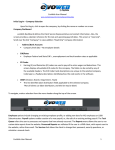
There are currently 68 reports available to view and print. Select the report you want to
produce by pressing the Run link.
This will queue a request to run the report. The request will be processed and the report will
be available for download as soon as the request has been completed. You have the option
to change the report parameters. If no changes are made, the report will default to the last
payroll processed.
You may change date ranges or the sort order, as well as run a detail or summary report.
There are also additional options.
payentry.com™ Quick Reference User Guide
MPAY Software 2006 Version 1.1
26