1
4. Operating
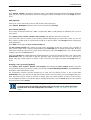
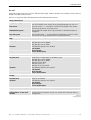
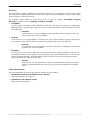
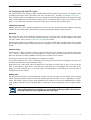
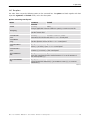
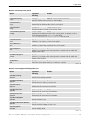
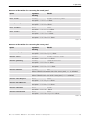
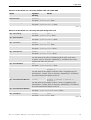
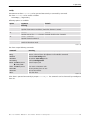
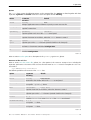
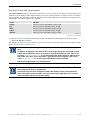
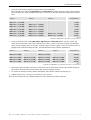
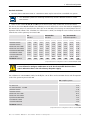
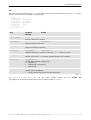
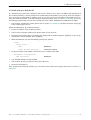
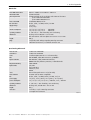
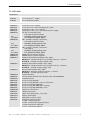
Options concerning canvas panel
option
argument
meaning
default
-canvasDisplay
-cvd
string
same as –display or $DISPLAY
specifies another remote host for video display
-canvasTitle
-cvt
string
xvideo canvas panel
determines the window title of the canvas panel
-canvasGeom
-cvg
geometry
768x576+450+100
specifies position and size of the canvas panel
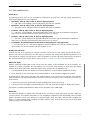
-canvasBackground
–cvbg
color name
blue
Specifies the background color of the canvas panel. To specify a color a
name defined in the file rgb.txt in the folder
usr/X11RELEASE6/lib/X11/rgb.txt must be used.
-canvasIconic
-cvi
0, 1
0
iconifies (1) or resizes (0) the canvas panel
-allowResize
-ar
0, 1
1
enables (1) interactive resizing of the canvas panel
-ratioAspect
-ra
0, 1
1
restricts (1) re-sizing of the canvas panel to constant ratio of width and
height of the video
-winRatioAspect
-cvwa
0, 1
0
restricts (1) re-sizing of the canvas panel to constant ratio of width and
height of the window
-noBorder
-nb
0, 1
0
starts the canvas panel with (0) or without (1) border
Table 4-10
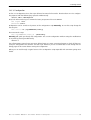
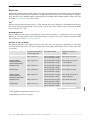
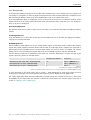
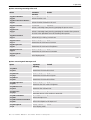
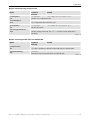
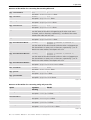
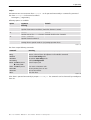
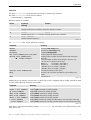
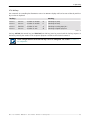
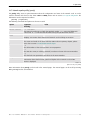
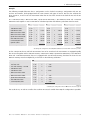
Options concerning Quad Analog Video Card
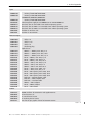
option
argument
meaning
default
-qavRecording
–qavre
VHS, SVHS
VHS
selects the recording standard
-qavRefreshRate
–qavrr
1, 2
1
selects full (2) or half (1) refresh rate
-qavContrast
–qavco
0.0 .. 1.0
0.5
determines the start value of contrast
-qavBrightness
-qavbr
0.0 .. 1.0
0.5
determines the start value of brightness
-qavSaturation
–qavsa
0.0 .. 1.0
0.5
determines the start value of saturation
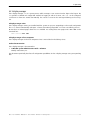
-qavBoardNumber
–qavbn
1 .. 32
1
selects the video card
-qavBoardChannelNumber
–qavbc
1..4
1
selects the video adapter on the card
-qavPlayMode
-qavpm
Live, Still
selects display mode
Live
Table 4-11
Barco – Eos X Terminal – DOC-3061-2 – user's manual – Revision 12 – February-2005
______________________________________________________________________
4-29

![CAST for PSI user`s manual [v07]](http://vs1.manualzilla.com/store/data/005903758_1-a858c2dfda3ffb28451a6ec48d1cfa02-150x150.png)