1
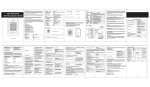
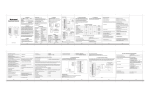
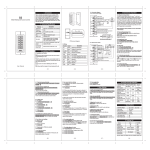
PROGRAMMING Programming will vary depending on access confirguration. Follow the instructions according to your access configuration General Programming Information – Two ways Remote Control: Please use the Infrared Remote Control to program the Reader. The infrared receiver AC head is near the LED, so when you program the reader, please direct the Remote Control to the LED User ID number: Assign a user ID to the access card in order to track it. The user ID number can be any number from 0-997. IMPORTANT: User IDs do not have to be proceeded with any leading zeros C Recording of User ID is crucial. Modifications to the user require the User ID to be available Proximity Card: Any 125KHz industry standard 26 bit EM and HID Proximity card or key fob S ES Sound and Light indications Led Colour Buzzer Stand by Red light bright - Enter into programming mode Red light shines One bleep In the programming mode Orange light bright One bleep Operation error - Three bleeps C SE Operation Status U Red light bright One bleep Open lock Green light bright One bleep Red light Shines quickly Bleeps Alarm ** Y IT R Exit from the programming mode ** Please see Reset Procedure for ALARM Programming Step 1. Enter Program Mode PR Enter and Exit Program Mode Via the Remote Control Remote Control Operation * (Master Code) # 2. Exit Program Mode * Set New Master Code Via the Remote Control Programming Step C U D O Factory default is 123456 Remote Control Operation * (Master Code) # 2. Enter New Master Code 0(New Master Code)#(Repeat New Master Code)# * Programming Step Remote Control Operation 1. Enter Program Mode * (Master Code) # 2. Stand-alone Operation 72 # is factory default for stand-alone 3. Wiegand Reader Operation 73 # 4. Exit Program Mode * D Set Operation Mode – Stand-alone or Wiegand (Default is stand-alone) LT 3. Exit Program Mode TS 1. Enter Program Mode