1
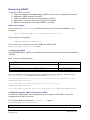
Building XDMS
Overview
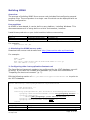
The process of building XDMS from source code includes first configuring several
property files. The end product is a single .war file which can be deployed with no
further configuration.
Prerequisites
As XDMS is Java-based, it can be built on any platform, including Windows. This
document assumes it is being built on a Unix environment, however.
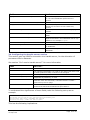
Install these products on your build machine before commencing.
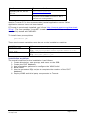
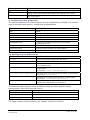
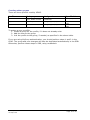
Product
Purpose
Source
Ant 1.7.1
Java JDK 1.5
Driving the build process
Compiling the source code
ant.apache.org
java.sun.com/javase/downloads/index.jsp
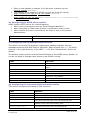
For example:
yum install ant jdk
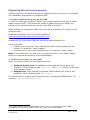
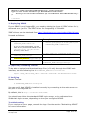
1. Obtaining the XDMS source code
Download the source code bundle from http://www.archer.edu.au/downloads.
For example:
mkdir ~/xdms
cd ~/xdms
wget http://www.archer.edu.au/downloads/xdms-1.0.tar.gz
tar –xzf xdms-1.0.tar.gz
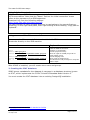
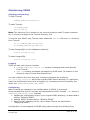
2. Configuring ddm-icat-applicationContext.xml
The Java Spring framework needs to be configured for the ICAT database you will
be using. If you have not created this database yet, follow the instructions in
“Preparing the host environment” (p. 7).
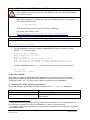
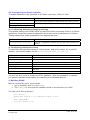
Edit the following section of src/java/ddm-icat-applicationContext.xml to point to
the ICAT database.
<?xml version="1.0" encoding="UTF-8"?>
<beans xmlns=http://www.springframework.org/schema/beans
...
<!-- ICAT Datasource -->
<bean id="dataSource"
class="org.springframework.jdbc.datasource.DriverManagerDataSource">
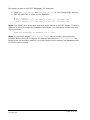
<property name="driverClassName" value="org.postgresql.Driver" />
<property name="url"
value="jdbc:postgresql://icat.uni.edu.au/icat" />
<property name="username" value="xdms" />
<property name="password" value="xxxxx" />
</bean>
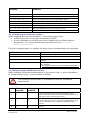
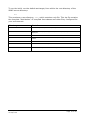
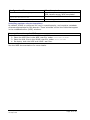
Property name
Purpose
driverClassName
The Java class name of the JDBC driver for the database you are using. If
XDMS System Administrator’s Guide v1.0
30 Sept 2008
Page 11 of 24