1
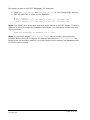
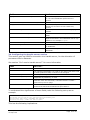
1. When a new dataset is created, it will be given a handle such as
102.100.archer/2FT95S7GB
2. The address of the dataset in XDMS can now be found by visiting
http://handles.uni.edu.au/102.100.archer/2FT95S7GB
3. This in turn redirects to
http://xdms.uni.edu.au:8080/xdms/viewDatasetDetails.action?request.hdlI
d=102.100.archer/2FT95S7GB
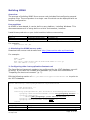
3e. Configuring the SMTP server section
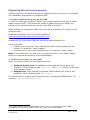
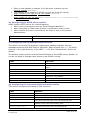
XDMS uses an SMTP server for several features:
• When users click buttons such as “Email Dataset Identifier”.
• When exporting to Fedora has finished, a notification email is sent.
• When certain errors are encountered, an email is sent to the system
administrator.
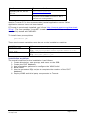
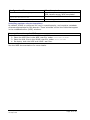
Field
Set it to…
smtp.mail.server
The name of your mail host. It must not require a password.
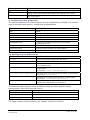
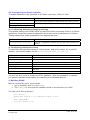
3f. Configuring the UQ Metadata Editor section
This section forms the link between image types, dataset statuses, and the
metadata schemas that MDE uses to edit them. Each schema is an .xml file which
must be in the right directory of the MDE .war file. See “Maintenance” section for
details.
The default values point to schema files distributed in the XDMS source bundle, so
you do not need to change these values to get XDMS running.
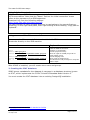
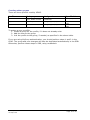
Field
Set it to…
uq.mde.crystal.template
Schema for samples.
uq.mde.dataset.DataCollection.template
Schema for datasets with “Data Collection”
status.
uq.mde.dataset.Processing.template
Schema for datasets with “Processing” status.
uq.mde.dataset.Published.template
Schema for datasets with “Published” status.
uq.mde.dataset.Solution.template
Schema for datasets with “Solution” status.
uq.mde.datafile.img.template
Schema for .img datafiles.
uq.mde.datafile.mccd.template
Schema for .mccd datafiles.
uq.mde.datafile.osc.template
Schema for .osc datafiles.
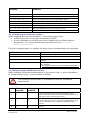
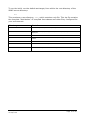
3g. Configuring the tree panel titles and labels section
This section configures the labels of GUI elements.
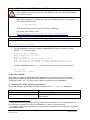
Field
Defines…
project.panel.title
The title of the project area pane.
project.home.label
The name of the root node in the project area.
user.panel.title
The title of the personal area pane.
user.home.label
The name of the root node in the user’s personal area.
staging.panel.title
The title of the staging or “scratch” area pane, typically used by
DIMSIM or other non-authenticating tools.
staging.home.label
The name of the root node in the staging area.
XDMS System Administrator’s Guide v1.0
30 Sept 2008
Page 15 of 24