1
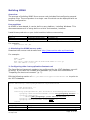
Maintaining XDMS
Stopping and starting
To stop Tomcat:
$TOMCAT_HOME/bin/shutdown.sh
To start Tomcat:
cd $TOMCAT_HOME
bin/startup.sh
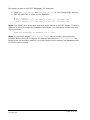
Note: The xdms.log file is written to the current directory when Tomcat is started.
So, it is best to change to the Tomcat directory first.
To remove just XDMS, stop Tomcat, then delete the xdms.war file and xdms directory
from Tomcat:
rm -rf $TOMCAT_HOME/webapps/xdms
rm $TOMCAT_HOME/webapps/xdms.war
To stop PostgreSQL (on the database machine):
service postgresql stop
To start PostgreSQL:
service postgresql start
Logging
There are two main logs to consider:
• $TOMCAT_HOME/logs/catalina.out contains messages that come directly
from Tomcat.
• xdms.log contains messages generated by XDMS itself. Its location is the
directory where Tomcat was started from.
You can configure the level and style of output messages by modifying
src/java/log4j.properties within the original XDMS source directory. In particular,
lower the thresholds of each kind of logging. In increasing levels of verbosity, the
levels are: FATAL, ERROR, WARN, INFO, DEBUG.
Configuring
When making any changes to the configuration of XDMS, it is strongly
recommended that you do not alter the deployed files within Tomcat – i.e., those in
$CATALINA_HOME/webapps/xdms. Instead:
1. Update the configuration files in your original XDMS directory, as described in
section “Building XDMS”.
2. Rebuild XDMS, as described in “Building XDMS”.
3. Stop Tomcat, redeploy the file, then restart Tomcat, as described in
“Deploying XDMS”.
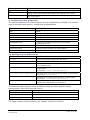
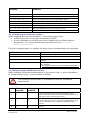
Configuration of most aspects of XDMS takes place through the following files.
XDMS System Administrator’s Guide v1.0
30 Sept 2008
Page 21 of 24