1
1. Log in Web Server
When Web Server is used, device’s IP address should be set firstly.
1. e.g. set device’s IP address as 192.168.1.234:
1) enter device’s menu—>setting—>communication setting to find
IP address.
2) press ‘OK’ to enter input interface, input address 192.168.1.234,
and press ‘OK’ to verify it.
3) press ‘ESC’ to exit communication setting. The device will
remind you whether save modification or not. Press ‘OK’ to save
it.
4) need to restart the device to make modification come into
efficiency.
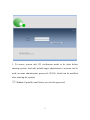
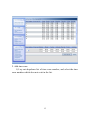
2. Input http://192.168.1.234 in IE address column. Press ENTER to get
the following picture:
1