1
PortaBilling Guide Part II
Table of contents
Preface ............................................................................................................................ 3
4.
Setting up a Wholesale IP Telephony Company..................4
Typical business case................................................................................................. 5
Setting up your network components.................................................................. 6
Billing configuration.................................................................................................... 8
5.
Statistics and Monitoring Tools .............................................. 28
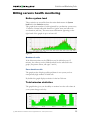
Billing servers health monitoring ......................................................................... 29
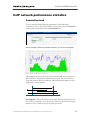
VoIP network performance statistics ................................................................. 31
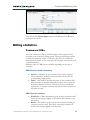
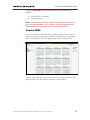
Billing statistics........................................................................................................... 34
6.
How to …....................................................................................... 40
Charge my calling card customers XX/min extra when they call toll-free
line .................................................................................................................................. 41
Authorize and bill my customers by the phone number they are calling
from (ANI-based billing) ......................................................................................... 41
Bill my customers who are connected via T1/E1 directly to some port
on my gateway........................................................................................................... 43
Authenticate and bill my customers by the IP address of their gateway
......................................................................................................................................... 44
Use volume-based billing........................................................................................ 45
Charge reseller for incoming calls ....................................................................... 47
Deal with technical prefixes and numbering formats................................... 49
Troubleshoot incorrectly billed call ..................................................................... 50
Create a custom TCL application......................................................................... 53
Make a custom report from PortaBilling ........................................................... 54
Use ODBC to connect to PortaBilling.................................................................. 54
Using redirect-number feature ............................................................................. 60
Isolate network of “Big client”, so you do not have to track their
individual gateways .................................................................................................. 61
Isolate your network................................................................................................ 64
Configure outgoing connection to vendor, if I send calls using
gatekeeper, so remote IP address is not known in advance .................... 66
Force PortaBilling to disconnect after a customer talks over his credit
limit................................................................................................................................. 67
Create accounts be to used for SIP services................................................... 67
Integrate PB logins in your web site .................................................................. 67
Configure Web Subscription .................................................................................. 68
7.
Maintenance................................................................................. 71
Configuration files ..................................................................................................... 72
Replication repair....................................................................................................... 76
(c) 2000-2004 Porta Software Ltd. All rights Reserved. www.portaone.com
2