1
Issue 2.16.A
5.2
XFile Version 2.16 – User Manual
EVS Broadcast Equipment – November 2011
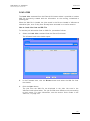
SHUTTLEPRO USE IN EDIT CLIP MODULE
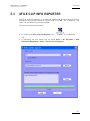
From XF ile ver sion 1.1 2, the Shut tleP RO c an b e used to p erfo rm t he com mands
corres pond ing to t he butt ons o f th e IN -OUT tab in the Ed it C lip modu le.
This chap ter expl ains ho w to ins tall an d co nfig ur e the Sh uttl ePRO for us e in the
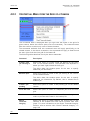
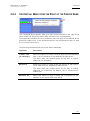
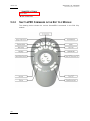
Edit Cli p module . It als o provide s the Shut tleP R O and short cut comm and s in the
IN-OUT tab of the Edit Cl ip mod ule.
5.2.1
SHUTTLEPRO INSTALLATION AND CONFIGURATION
To be abl e to us e the Sh uttle PRO, yo u nee d to in stall i t on th e XFil e work stati o n
and co nfi gure it for use w ith t he X File app lica tion .
To ins tal l an d co nfig ure t he Shu ttl ePRO, pro ceed as fo llows :
1.
Double -cli ck t he e xecu table fil e cdi_shuttle_win_x.x.xx.exe
(x.x.x x corr espon d to the version n umber ) deliv ere d with the Sh utt lePRO an d
follow the in stal lati on w iz ard.
2.
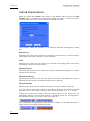
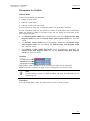
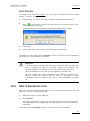
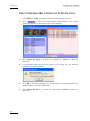
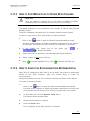
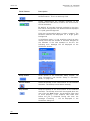
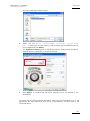
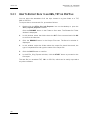
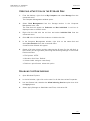
When th is i s in stal led, rig ht-cl ick t he S hutt lePRO i con
Applic atio n t oolb ar. A co ntext ual m enu open s.
3.
Select Ope n Cont rol Pan el fr om th e co ntex tua l me nu.
on the rig ht o f th e
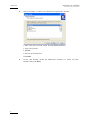
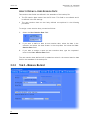
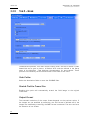
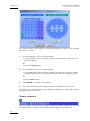
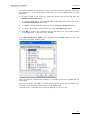
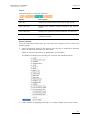
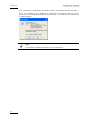
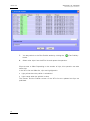
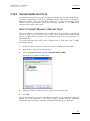
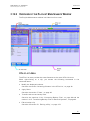
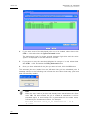
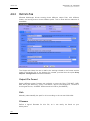
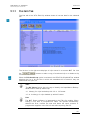
The Sh uttl e De vice Con fi gurat ion w indo w op ens.
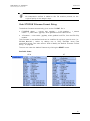
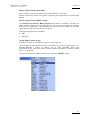
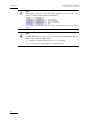
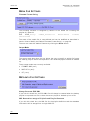
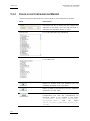
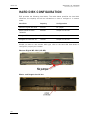
In the Shut tlePR O tab , cl ick th e Opti ons b utto n a nd sel ect Im port Setti ng s
from t he c onte xtua l me nu :
162