1
USER MANUAL IPWeb 1.4
How to Perform a Search based on a Timecode
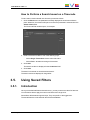
To set a search criterion based on a timecode, proceed as follows:
1. Click the Edit button if the parameter is already displayed in the Advanced Search
pane. Otherwise, the window will open as soon as the parameter is selected from the
Select Criteria field.
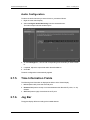
The Timecode Filter window opens, for example:
2. Enter a timecode condition in one of the following ways:
◦
Select Single Timecode and enter a timecode value
◦
Select From...to and enter a range of timecodes.
3. Click Add.
The search condition is displayed in the Conditions field.
4. Click Save.
The search is launched on the selected tree branch.
The search results are displayed in the grid/list.
3.5.
Using Saved Filters
3.5.1.
Introduction
Once you have defined filters and search terms, you may want to save them for later use.
You will then be able to apply the same set of filters with a single click.
Saved filters differ between logs and clips. They are specific to the logged user.
The saved filters are not shared with the IPDirector database.
3. Searching for Media
41