1
EVS Broadcast Equipment SA
6.2.
Issue 1.4.A - May 2015
Clip Settings
Introduction
Most of the settings cannot be defined from the IPWeb interface and are directly applied
from IPDirector.
The only setting that the user can configure from the IPWeb interface relate to autonaming of clip.
Defining Clip Autoname
The Define Autoname setting allows the user to define auto-naming rules for new clips.
To define a clip auto-name, proceed as follows:
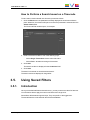
1. Click the [username] button from the Toolbar.
A menu is displayed.
2. Click Tools.
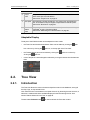
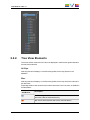
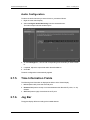
The Tools window opens. It displays the Setting Autoname tab which lists the various
possible format string options with a brief explanation:
3. Select the Activate Autoname option.
4. Double-click an item to append it to the format string.
5. Click Save.
The auto-name setting is saved in the IPDirector Auto-Name settings.
52
6. Creating a Clip and Sending it to a Bin