1
USER MANUAL IPWeb 1.4
7.3.3.
Moving Clips
How to Move Clip(s) to Another Bin
To move a clip from one bin to another one, proceed as follows:
1. In the Bins pane, select the clip(s) you want to move.
2. Right-click the list.
A contextual menu is displayed.
3. Select Move.
The Move into Bin window opens and shows the list of bins from the System [User]
bin directory, except the source bin.
4. Select the bin you want to move your clips to.
5. Click OK.
The clips are moved to the other bin.
How to Move Clip(s) within a Bin
You can move clips within a bin to put them in a selected order.
To do so, proceed as follows:
1. In the Bins pane, select the clip(s) you want to move.
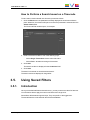
2. Drag it/them to the position where you want to move. During the drag-and-drop
operation, a thick line will be displayed between the clip lines where the clip(s) will be
dropped in order to highlight the drop position.
7. Organizing the Bins
59