1
Chapter 3
Understanding Disk Files
In general, unless you will be writing custom programs for the V+ system, you do
not need to be concerned about creating new data files. The files will be created
already, or will be created and modified automatically by the programs that you
run. You may need to copy existing programs from one disk to another. Copying
disk files is covered in “To Copy a Disk File” on page 63.
Working With Disk Files
In the course of using your Adept controller you will most likely access files
stored on the disk drives. This section tells you how to view, load, copy, and
delete disk files.
To List the Files on a Disk Drive
The FDIRECTORY command will list all the files in a subdirectory (see section ),
along with information about each file’s size, type, and creation date. After you
enter the command:
FDIRECTORY ↵
the monitor might look like:
MY_FILE3 19-MAR-92 10:32:29
PR_FILE.V2 4 P01-JAN-92 14:45:31
UTIL 0 D 08-MAY-91 09:43:43
27768/41744 sectors used/unused
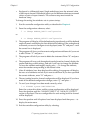
The information in this display includes:
•
The first column lists the file name.
•
The second column lists the file size in disk sectors (a high-density,
double-sided disk holds approximately 2880 sectors).
•
The third column lists special attributes of the file:
“P” indicates the program is protected and cannot be modified or copied.
“D” indicates the entry is a subdirectory.
“R” indicates the file is read-only.
62
•
The last column lists the date and time the file was created or copied.
•
The final line of the display lists the total number of used and unused sectors
on the disk. In this example, the disk drive has 27,768 sectors filled with files
and 41,744 sectors available for storing files.
V+Operating System User’s Guide, Ver 12.1