1
Cellular Component View
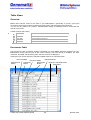
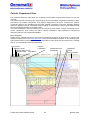
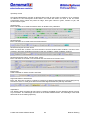
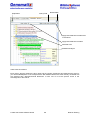
The Cellular Component View helps you to identify the subcellular compartments relevant to your set
of genes.
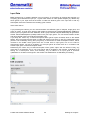
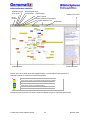
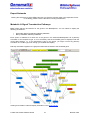
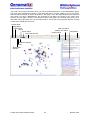
The hierarchical Gene Ontology filter assigns genes to their subcellular compartment. Based on these
annotations, the Cellular Component View builds a diagrammed cell layout. Therefore the Cellular
Component View is only available if the GO filter "Cellular Component" has been activated. Network
genes are displayed in their subcellular location helping to reconstruct the way a signal takes through
the cell compartments during a regulatory event.
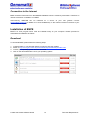
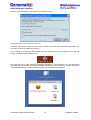
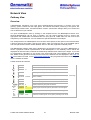
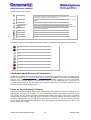
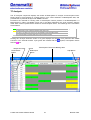
The basic localizations are color-coded, with blue denoting extra-cellular, orange, membrane-bound,
yellow, cytoplasmic, pink, nuclear, and white, unknown localization. Gene symbols are subgrouped
further according to sub-compartmentalization.
Basic Navigation
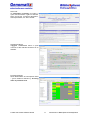
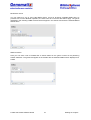
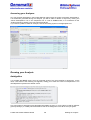
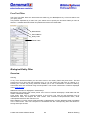
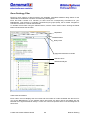
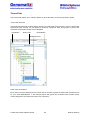
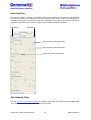
Nodes can be dragged with the mouse pointer to customize the layout. A single click on a gene node
displays summary info in the Node Info Panel, which shows detailed information on the selected gene
and provides links for further analysis. The shortest path for each gene can be brought up by a double
click on it in the Cellular Component View Panel.
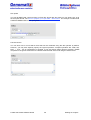
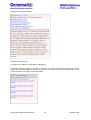
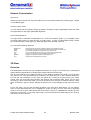
Zoom In/Out
Optimize Layout
unknown
Localization
Shortest Path On/Off
Export Image
Help Button
© 2007 Genomatix Software GmbH
membrane-bound
extracellular
cytoplasmic
nuclear
Gene Info Panel
60
Network View