1
Getting Started
Connecting the Interface
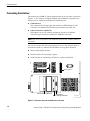
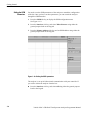
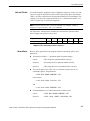
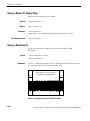
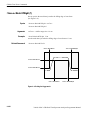
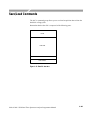
The analyzer has an IBM PC based expansion slots on its rear panel, as shown in
Figure 1–5. The analyzer is shipped standard with a GPIB port. In addition, the
analyzer can be configured with optional networking cards.
H
GPIB interface
This connector has a D-type shell and conforms to IEEE Std 488.1–1987
(The cable is available from Tektronix as part number 012–0991–00).
H
Ethernet interface (Option 10)
With Option 10, you can connect the analyzer directly to an Ethernet
network using a twisted pair (10BASE-T/100BASE-TX) cable.
NOTE. Only a service personnel can install the network card. Contact Tektronix
for details.
You can also connect the following peripheral devices to the analyzer. Refer to
the 3066 and 3086 User Manual for information on using these interfaces.
H
Mouse and keyboard interface
H
Parallel interface for connecting a printer
H
SCSI interface for connecting a SCSI device such as an hard disk.
Parallel connector
SCSI connector
Ethernet interface (Option 10)
GPIB interface
Mouse and keyboard interface
Figure 1-5: Interface connector location on the rear panel
1-4
3066 & 3086 3 GHz Real Time Spectrum Analyzer Programmer Manual