1
Chapter 16. The World Wide Web and Electronic Mail
None
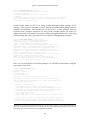
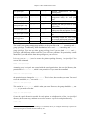
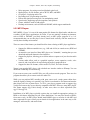
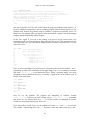
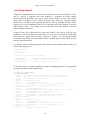
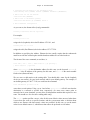
Disable all options for this directory.
All
Enable all options for this directory.
There are other options as well; see the httpd documentation for details.
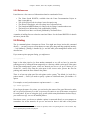
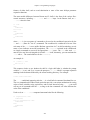
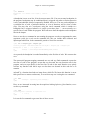
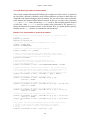
Next, we enable several options and other attributes for /usr/local/httpd/htdocs, the directory
containing our HTML documents:
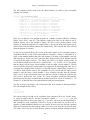
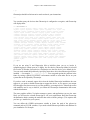
<Directory /usr/local/httpd/htdocs>
Options Indexes FollowSymLinks
# Allow the local access file, .htaccess, to override any attributes
# listed here.
AllowOverride All
# Access restrictions for documents in this directory.
<Limit GET>
order allow,deny
allow from all
</Limit>
</Directory>
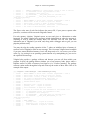
Here, we turn on the Indexes and FollowSymLinks options for this directory. The
AllowOverride option allows the local access file (named .htaccess) in each directory that
contains documents to override any of the attributes given here. The .htaccess file has the
same format as the global access.conf but applies only to the directory in which it is located.
This way, we can specify attributes for particular directories by including a .htaccess file in
those directories instead of listing the attributes in the global file.
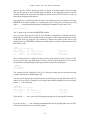
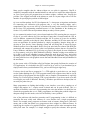
The primary use for local access files is to allow individual users to set the access permissions
for personal HTML directories (such as ~/public_html) without having to ask the system
administrator to modify the global access file. Security issues are associated with this,
however. For example, a user might enable access permissions in her own directory such that
any browser can run expensive server-side CGI scripts. If you disable the AllowOverride
feature, users cannot get around the access attributes specified in the global access.conf. This
can be done by using:
AllowOverride None
which effectively disables local .htaccess files.
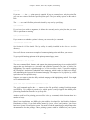
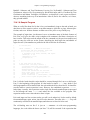
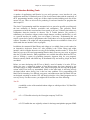
The <Limit GET> field is used to specify access rules for browsers attempting to retrieve
documents from this server. In this case, we specify order allow,deny, which means that
allow rules should be evaluated before deny rules. We then instate the rule allow from
all, which simply means any host may retrieve documents from the server. If you wish to
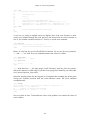
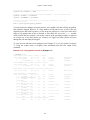
deny access from a particular machine or domain, you could add the line:
523