1
Chapter 7. Upgrading Software and the Kernel
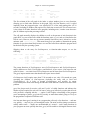
version of their favorite distribution is released. This way you don't have to worry about
various versions of the software working together. For those without Internet access, this may
indeed be the easiest method; if you receive a new CD-ROM only once every two months, a
great deal of your software may be out of date.
It's our opinion, however, that reinstallation is not a good upgrade plan at all. Most of the
current Linux distributions are not meant to be upgraded in this way, and a complete
reinstallation may be complex or time-consuming. Also, if you plan to upgrade in this
manner, you generally lose all your modifications and customizations to the system, and
you'll have to make backups of your user's home directories and any other important files that
would be deleted during a reinstallation. Many novices choose this upgrade path because it's
the easiest to follow. In actuality, not much changes from release to release, so a complete
reinstallation is usually unnecessary and can be avoided with a little upgrading know-how.
In the rest of this section, we'll show you how to upgrade various pieces of your system
individually. We'll show you how to upgrade your system libraries and compiler, as well as
give you a generic method for installing new software. In the following section, we'll talk
about building a new kernel.
7.2.1 Upgrading Libraries
Most of the programs on a Linux system are compiled to use shared libraries. These libraries
contain useful functions common to many programs. Instead of storing a copy of these
routines in each program that calls them, the libraries are contained in files on the system that
are read by all programs at runtime. That is, when a program is executed, the code from the
program file itself is read, followed by any routines from the shared library files. This saves a
great deal of disk space; only one copy of the library routines is stored on disk.
In some instances, it's necessary to compile a program to have its own copy of the library
routines (usually for debugging) instead of using the routines from the shared libraries. We
say that programs built in this way are statically linked, while programs built to use shared
libraries are dynamically linked.
Therefore, dynamically linked executables depend upon the presence of the shared libraries
on disk. Shared libraries are implemented in such a way that the programs compiled to use
them generally don't depend on the version of the available libraries. This means that you can
upgrade your shared libraries, and all programs that are built to use those libraries will
automatically use the new routines. (There is an exception: if major changes are made to a
library, the old programs won't work with the new library. You'll know this is the case
because the major version number is different; we'll explain more later. In this case, you keep
both the old and new libraries around. All your old executables will continue to use the old
libraries, and any new programs that are compiled will use the new libraries.)
When you build a program to use shared libraries, a piece of code is added to the program that
causes it to execute ld.so, the dynamic linker, when the program is started. ld.so is responsible
for finding the shared libraries the program needs and loading the routines into memory.
Dynamically linked programs are also linked against "stub" routines, which simply take the
place of the actual shared library routines in the executable. ld.so replaces the stub routine
with the code from the libraries when the program is executed.
179