1
■
“Evaluating a State Sensor Alarm” on page 28
■
“Evaluating a Presence Sensor Alarm” on page 30
■
“Evaluating an Indicator State” on page 31
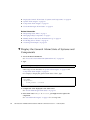
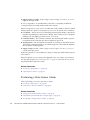
▼ Evaluate a Temperature Sensor
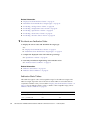
1. Display the sensor status and determine the target type.
See:
■
“Display Oracle ILOM Sensor Status” on page 18
■
“Determine Oracle ILOM Sensor Target Types” on page 19
2. Compare the displayed value with a known good range.
See “Temperature Sensor Values” on page 24.
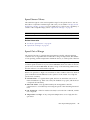
3. Learn why a temperature sensor might alarm and take action.
See “Temperature Out of Range” on page 25.
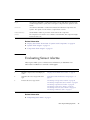
Related Information
■
“Temperature Sensor Values” on page 24
■
“Temperature Out of Range” on page 25
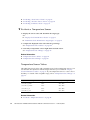
Temperature Sensor Values
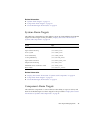
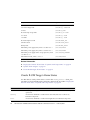
This table lists typical values and acceptable ranges for the temperature sensors. You
use this table in conjunction with the target and value you recorded in “Display
Oracle ILOM Sensor Status” on page 18. If your temperature sensor’s value is near a
boundary or outside of the acceptable range, refer to “Temperature Out of Range” on
page 25.
Temperature Sensor Target
Typical Value
Acceptable Range
/SYS/MB/T_BACK
30˚C
25 to 70˚C
/SYS/MB/T_FRONT
29˚C
25 to 70˚C
/SYS/MB/T_SP
45˚C
25 to 60˚C
/SYS/MB/T_I4A
39˚C
25 to 70˚C
Related Information
■
24
“Evaluate a Temperature Sensor” on page 24
Sun Datacenter InfiniBand Switch 36 Service Manual for Firmware Version 2.1 • February 2013