1
d. Look for the word battery in the output for the class property.
If the battery is faulty, replace it. See “Replace the Battery” on page 78.
If you do not see the word battery, or if a FRU value in addition to or different
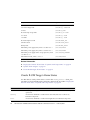
from /SYS/MB is displayed in Step a, see “Clearable Fault Targets” on page 11 to
identify which component is faulty.
If no Oracle ILOM targets are listed in Step a, go to Step 4.
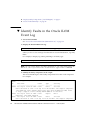
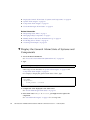
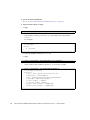
4. Within the Oracle ILOM interface, verify the battery voltage.
-> show /SYS/MB/V_BAT value
/SYS/MB/V_BAT
Properties:
value = 3.136 Volts
->
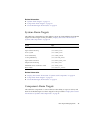
5. Compare the value seen with the typical value and range provided in “Voltage
Sensor Values” on page 22.
If the battery is faulty, replace it. See “Replace the Battery” on page 78.
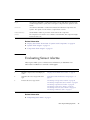
6. If you are unable to determine if the battery is faulty, seek further information.
See “Detecting and Managing Faults” on page 1.
Related Information
■
“Determine If a Power Supply Is Faulty” on page 41
■
“Determine If a Fan Is Faulty” on page 55
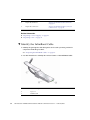
▼ Remove the Switch From the Rack
Note – This procedure assumes that you have removed all InfiniBand cables from
the switch and have powered down both power supplies by removing both power
cords. If not, see “Remove an InfiniBand Cable” on page 68 and “Power Off a Power
Supply” on page 46.
1. Identify the prerequisite and subsequent service tasks you must perform in
conjunction with this procedure.
See “Servicing the Battery” on page 75.
2. Disconnect the management cables.
Servicing the Battery
77