1
BDL4230E LCD
85
General Product Specification
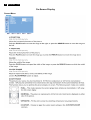
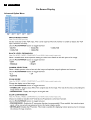
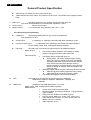
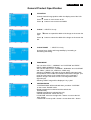
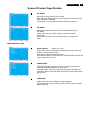
FILM MODE * : INPUT HDMI1,2(HDMI INPUT MODE-HD), CVI,
VIDEO<S>, VIDEO only
Selects Film mode function.
AUTO: Enable the Film mode function. This mode is better suited for
movies, which is converted 24 Frames/sec source to DVD Video. We
recommend to select “PROGRESSIVE” in “SCAN CONVERSION”.
OFF: Disable the Film mode function. This mode is better suited for
Broadcasting or VCR source.
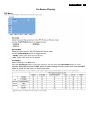
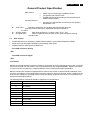
IR CONTROL
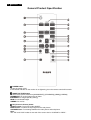
Selects the operation mode of the remote controller when multiple
BDL4635E monitors are connected via RS-232C.
The item in this menu will become effective by pressing “SET” button
on the selected item.
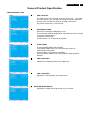
NORMAL: The monitor will be controlled normally by remote
controller.
PRIMARY: The first BDL4230E monitor of those multi-connected via
RS-232C is designated as PRIMARY.
SECONDARY: BDL4230E monitors other than the first one
multi-connected via RS-232C are designated as SECONDARY.
LOCK: Disable the monitor control by infrared remote controller.
Keep pressing “DISPLAY” button during 5 sec or more, this setting
will return to “NORMAL”.
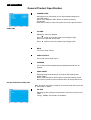
KEYBOARD CONTROL
Selects the operation mode of the keyboard control.
Select “YES” to disable the keyboard.
Select “NO” to enable the keyboard.
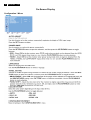
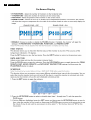
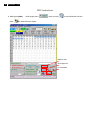
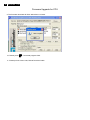
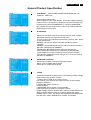
TILING
TILING demonstrates multiple screens. This feature provides a single
large screen using up to 25 monitors.
It will be able to divide up to 5 each H and V.
This requires you to feed the PC output into each of the monitors
through a distributor.
H MONITORS: Select number of
horizontal divide.
V MONITORS: Select number of vertical divide.
POSITION: Select a position to expand the screen.
FRAME COMP: Works in tandem with TILING to compensate for the
width of the tile bezels in order to accurately display the image.
ENABLE: Select “YES”, the monitor will expand the selected position.
PIP and STILL will be disabled when “TILING” is activated.