1
Clearing the Faults from the System Event Log
5
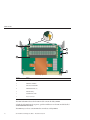
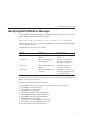
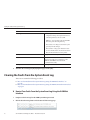
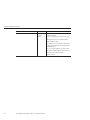
Column Label
Description
Class/Type
■
Audit/ Log - Commands that result in a
configuration change. Description includes user,
command parameters, and success/fail.
■
IPMI/Log - Any event that is placed in the IPMI
SEL is also put in the management log.
■
Chassis/State - For changes to the inventory and
general system state changes.
■
Chassis/Action - Category for shutdown events
for server module/chassis, hot insert/removal of a
FRU, and Reset Parameters button pushed.
Severity
Debug, Down, Critical, Major, or Minor.
Date/Time
The day and time the event occurred. If the Network
Time Protocol (NTP) server is enabled to set the
ILOM time, the ILOM clock uses Universal
Coordinated Time (UTC).
Description
A description of the event.
To dismiss the event log (stop displaying the log), press the q key.
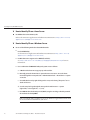
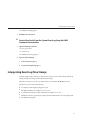
Clearing the Faults from the System Event Log
This section contains the following procedures:
■
■
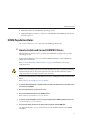
“How to Clear Faults From the System Event Log Using the ILOM Web Interface” on
page 30
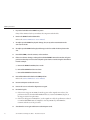
“How to Clear Faults From the System Event Log Using the ILOM Command-Line Interface”
on page 31
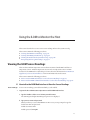
▼ How to Clear Faults From the System Event Log Using the ILOM Web
Interface
30
1
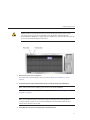
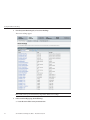
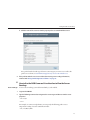
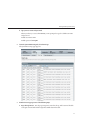
Navigate to the Event Log from the ILOM System Management tab.
2
Click the Clear Event Log button on the bottom of the Event Log page
Sun Fire X4640 Server Diagnostics Guide • December 2010, Rev A