1
ATTENTION
PLEASE READ CAREFULLY:
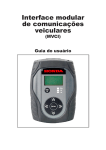
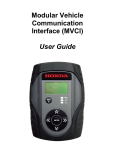
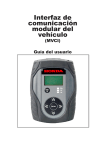
• SPX recommends charging the MVCI for approximately 3 hours before the first use. Use the supplied power
adapter.
NOTE: This is not a requirement for using the MVCI.
• Use the supplied NiMH batteries only in the MVCI.
• To power ON the MVCI: External power is required to the turn the MVCI ON. External power may be provided by
the vehicle diagnostic connector or the power adapter (supplied with the MVCI).
• The MVCI stays ON for approximately 60 seconds after the external power is disconnected (depending on level of
the battery charge),then automatically powers OFF.
• When powered by battery, the MVCI can also be powered OFF by holding down the ‘ESC/Power’ button for
approximately 5 seconds.
• Refer to the ‘MVCI User Guide’ for help with USB, wireless or Ethernet connectivity.
• To replace the MVCI batteries when needed, use a Phillips screwdriver to open the battery cover.
• IMPORTANT: To prevent damage to the MVCI, do not perform an MVCI firmware update if using a
Honda Diagnostic System software version lower than 2.023.012 or MVCI firmware version lower
than 2.08.77.
1. Verify the HDS software version and the MVCI firmware version:
HDS version 2.023.012 or newer must be installed on the PC, and
MVCI firmware version 2.08.77 or newer must be installed on the MVCI.
Do not perform firmware update of the MVCI on a PC with an old HDS version.
The HDS version
number is
displayed when
HDS is launched.
2. If the HDS software version is 2.023.012 or newer, it is safe to continue with the MVCI firmware update.
Connect to the
vehicle. When
firmware update
is suggested,
follow the
directions to
complete the
update.
3