1
Development and production of systems for measurement and control
2.2. Main elements
2.2.1.
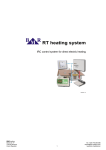
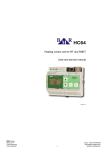
Control unit HC64
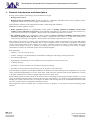
Control unit HC64 keeps setting of regulation schedules for up to 32 independent
heating circuits. It is possible to set up to 8 different temperature changes in one day,
at any time and for any value. Part of the control unit delivery is also power supply
24 VAC / 2.5A. It supplies control unit, thermostatic sensors and actuators operated by
sensors.
Control unit has two operation modes. User mode, which allows displaying room
temperature, defining temperature profile, etc. Service (administrator) mode,
protected by password, which is supposed to be used for fundamental setting of
heating system, for example number of circuits, communication parameters and
temperature calibration for every sensor.
More information, operation and setting of HC64 can be found in technical documentation of HC64.
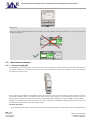
Control unit must be placed on common three-wires bus network to the place where the user will make all actions. If the
system is equipped by PC, it can be actually placed on any even invisible place. Personal computer can be connected to the
control unit via USB or Ethernet interface.
2.2.2.
Room sensors
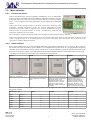
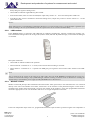
Room sensors HTS64 range are in fact real digital thermostats with a built-in temperature sensor, output for direct control of
the actuator and input for window contact. HTS64 is an independent device that works as a PI (proportional integration)
controller which communicates with the control unit HC64 for to get the information about the targeted temperature in the
particular circuit. On the contrary it provides information about the measured temperature and actuator status to control unit.
According to a customer specification three types of thermostat can be offered:
HTS64
HTS64D
Basic type of thermostat.
HTS64DN
Thermostat with LCD which shows
current temperature and actuator
status.
HTS64DIN
Thermostat with LCD and buttons.
Display shows current temperature
and actuator status. Unit is
equipped with buttons for local
temperature setting. Locally set
temperature is kept until next
temperature change according to
the regime.
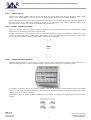
Thermostat designed for DIN rail
installation with a size of 1
standard module. Module has a
terminal for external analogue
temperature sensor and one 8A
output relay. ID address of the
HTS64DIN is set on the board
inside the instrument at the factory.
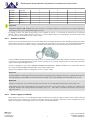
Sensors are available in several designs of case in order at to fit the style of the other elements used in the house. Following
designs are available.
Manufacturer / type
HTS64
HTS64D
HTS64DN
ABB
Element
●
●
●
ABB
Time
●
●
●
ABB
Tango
●
●
●
ABB
Neo
●
●
●
ABB
Neo Tech
●
●
●
ABB
Swing
●
●
●
ABB
Classic
●
●
●
BMR trading
Horní lán 17
779 00 Olomouc
Czech Republic
5
phone: +420 778 066 566
[email protected]
www.bmr-trading.com