Download LOOP delay Service Manual
Transcript
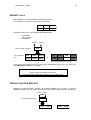
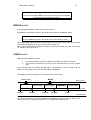
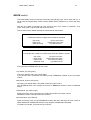
LOOP delay - Manual 7 THE QUICKEST WAY TO THE LOOP For users experienced in electronic equipment STRAIGHT INTO IT... 1. 2. 3. 4. 5. 6. 7. 8. 9. Confirm the right tension above the power socket. Connect a power cord. Connect an instrument or a microphone to IN and an amplifier to MIX. Regulate the INPUT VOLUME to ensure the LED is mostly orange und sometimes red when the music is loud. Put MIX to middle position. Turn FEEDBACK almost or fully up. Connect the foot switch to RECORD. Play a phrase or speak some words and hit the foot switch at the same time. Hit it again at the end of the phrase - here goes your first loop! Press the switch longer - all is quiet again. That is Reset. Repeat point 7 or 7/8 until you feel secure. Try the other switches while playing and observe the displays and LEDs. Be surprised. This is the shortest key we can give you to help you understand: LED dark: Key has no function LED green: Key is ready to start a new function with. LED red: This function is active LED orange: A special function is active or: The presently active function can be terminated in a special way. RECORD > RECORD Records a new loop. This loop is immediately played back. Looping? Anything you do not understand and many tricks and ideas are in the back of the manual. JUST ANOTHER DELAY? If you want to use the LOOP delay like a regular delay, you do not have to know anything about loops. 1. Connect the machine as described in STRAIGHT INTO IT 1-5. 2. Press MODE once to make the bottom LED turn green. 3. Adjust delay time with two strokes on the RECORD switch: The interval between your two strokes is your delay time. 4. Apply the feedback in the regular way. - A pedal (CP1 recommended) controls the input volume — a practical medium of expression.