1
HP 11758V
Installation and Verification
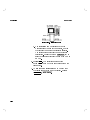
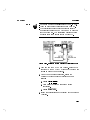
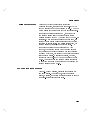
a. Check the label of the power sensor to nd the
calibration factor. This value is dependent on the
frequency at which you are measuring.
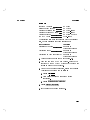
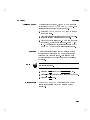
b. Press 4 5 4 5 (CAL FAC), then use the
arrow keys to enter the calibration factor.
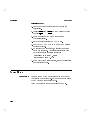
Press 4 5 475 (PWR REF). The PWR REF
annunciator will be enabled.
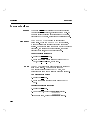
The Power Meter will display
030.00 dBm, 60.02 dBm.
Press the 4
5 key to display dBm.
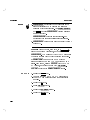
Press the 4
5 key. The display will read \OFS
+00.00 dB."
Using the arrow keys modify the display to read
\OFS +30.00 dB."
Press the 4
5 key.
The Power Meter will display 0.00 dBm 60.02 dBm.
SHIFT
7.
8.
9.
10.
11.
12.
13.
Flatness Analyzer Check
FREQ
SHIFT
dBm/W
OFFSET
ENTER
Description
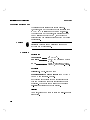
The HP 8470B Crystal Detector is used to measure the
swept output of the IF Tracking Generator (mode of
HP 8593E). The level and stability of that measurement
are checked.
Procedure
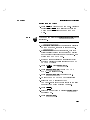
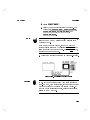
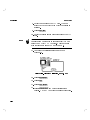
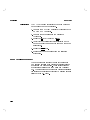
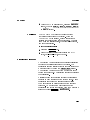
1. Press the 4 5 key on the HP 8593E Spectrum
Analyzer. Press the FLATNESS & SOURCES softkey.
If Flatness and Sources has not been loaded, insert
the DRTS Measurement Card into the mode loader
and press MODE LOADER 4 5 4
5.
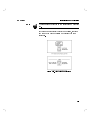
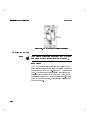
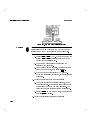
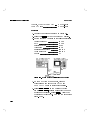
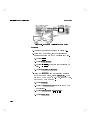
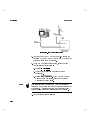
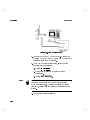
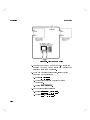
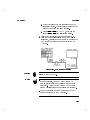
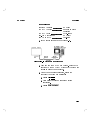
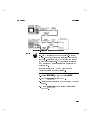
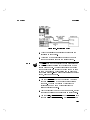
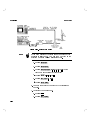
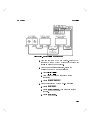
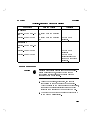
2. Connect the BNC end of the HP 8470B Crystal
Detector to the Detector Input on the rear panel
MODE
NNNNNNNNNNNNNNNNNNNNNNNNNNNNNNNNNNNNNNNNNNNNNNNNNNNNNNNN
NNNNNNNNNNNNNNNNNNNNNNNNNNNNNNNNNNN
4
ENTER
2-21