1
GE MEDICAL SYSTEMS
DIRECTION 2395907, REVISION 2
8-11-6
LOGIQ™ 5 EXPERT BASIC SERVICE MANUAL
Bumper Set (FRU No. 405)
Purpose: This is a description on how to remove and replace the Bumper Set.
8-11-6-1
Tools
•
8-11-6-2
Needed Manpower
•
8-11-6-3
1persons, 20 minutes + travel
Preparations
•
8-11-6-4
Common pillips screwdrivers
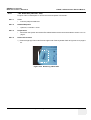
Shut Down the System and switch off the Main Breaker at the rear as described in section 4-3-2 on
page 3.
Removal Procedure
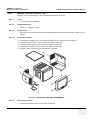
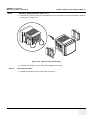
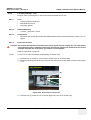
1.) Remove the Monitor Assy (FRU No.100). Refer to 8-3-1 on page 8-2 .
2.) Remove the Left Cover (FRU No.300). Refer to 8-10-1 on page 8-33 .
3.) Remove the Right Cover (FRU No.301). Refer to 8-10-2 on page 8-34 .
4.) Remove the Front Base Cover (FRU No.305). Refer to 8-10-6 on page 8-39 .
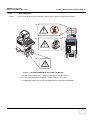
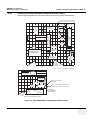
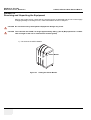
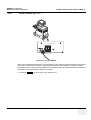
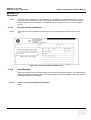
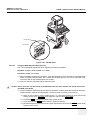
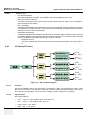
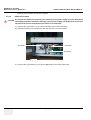
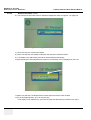
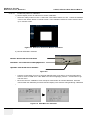
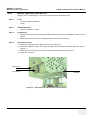
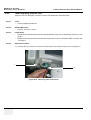
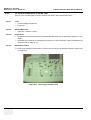
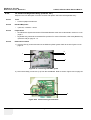
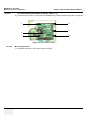
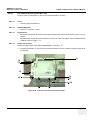
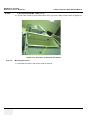
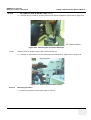
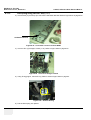
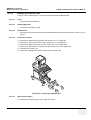
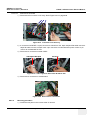
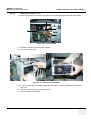
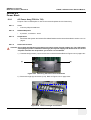
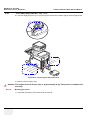
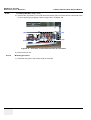
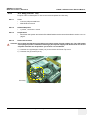
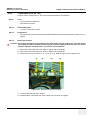
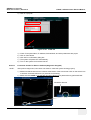
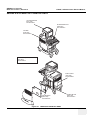
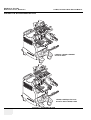
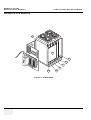
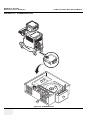
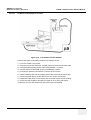
5.) Unscrew two screws (1-2).
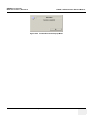
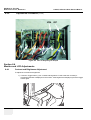
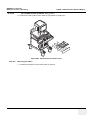
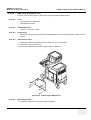
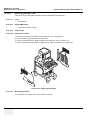
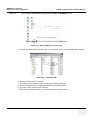
6.) Remove the Bumper Set. Refer to Figure 8-86 on page 8-65 .
2
1
Figure 8-86 Removing the Bumper Set
8-11-6-5
Mounting procedure
1.) Install the new parts in the reverse order of removal
Chapter 8 - Replacement Procedures
8 - 65