1
Mitel NuPoint Messenger Technical Documentation - Release 7.0
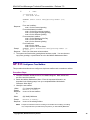
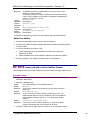
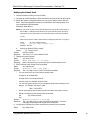
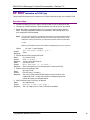
Modifying the Default Itself
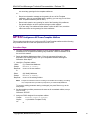
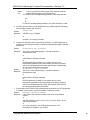
1. Choose the default FCOS you wish to modify.
2. Complete an FCOS Worksheet. Blank worksheets are near the end of this manual.
3. Reach the System Configuration Menu, then go to the Feature Class of Service
Menu. Enter the requested information, as described in the following steps, from
your completed FCOS Worksheet.
Reference: Menu Map 11
Note: You can quit at any point in the following steps before you exit the Feature Class of
Service Menu. Quitting discards all entries you have made and leaves the FCOS
settings the way they were before you reached the Feature Class of Service Menu
To quit:
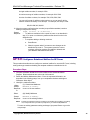
Make sure the Feature Class of Service Menu is displayed (short form or long form).
Select:
(Q) Quit – Forget Changes
Quit and forget changes? (y/n) =
Response: Y to quit.
Prompt:
4.
Specify the default FCOS to modify.
(C) Current FCOS
Select:
FCOS to modify =
Prompt:
Response: The number (1-17) of the default FCOS.
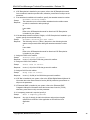
5. Change the name if desired.
(N) Name FCOS
Select:
Enter FCOS name (0 - 15 chars) =
Prompt:
Response: Enter a descriptive name to accompany the modified default FCOS.
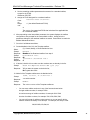
6. Add FCOS bits to the default FCOS, as desired.
(A) Add Features
Select:
Features to add (? for help) =
Prompt:
Response: The 1-to-3-digit numbers of the FCOS bits to be added.
• You can enter bits in any of the formats shown below:
A single bit, for example 208
A range of bits, for example 202-208
A series of bits, for example, 39,40,207,208
•
You can mix types of entries, so you can specify all the bits necessary in one
attempt. For example, this entry is valid:
208,1-7,50,53,55,6
•
Do not enter spaces after commas, and do not end the entry with a comma.
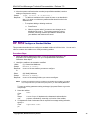
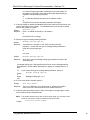
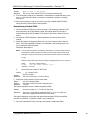
7. Delete FCOS bits from the default FCOS, as desired.
(D) Delete Features
Sel
ect:
Features to delete (? for help) =
Prompt:
Response: The 1-to-3-digit numbers of the FCOS bits to be deleted. The same
rules apply to deleting bits as explained for adding bits.
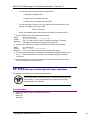
8. Verify that the information you have entered so far matches your worksheet.
(S) Show FCOS
Select:
©Copyright 2002, Mitel Networks Corporation
22