1
FrontLoad Bill validator Series - Operation Manual
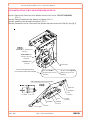
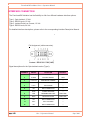
Download procedure via interface connector:
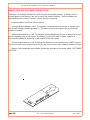
In order to perform an interface download, a Network Enabled Memory Card must be installed. After
the download is complete this card must be left in the validator for communication.
1. When the FrontLoad Bill Validator has a CCNET protocol, the software download can be completed
via the host controller (refer to CCNET Protocol Description).
2. For a direct download via the interface connector, please follow the instructions below:
Step 1. Turn power OFF.
Step 2. Disconnect the interface connector from the Bill Validator.
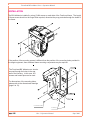
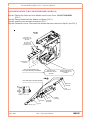
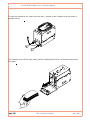
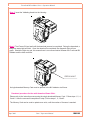
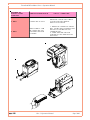
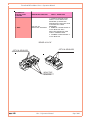
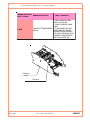
Step 3. Remove the Validating Head from the Housing, and set Mode Switch to Service mode (see
page 36).
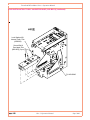
Step 4. Install the Validating Head into the Housing.
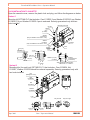
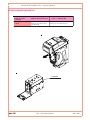
Step 5. Connect CashCode Adaptor (see page 30 for exact type): a) to the Computer, b) to the
interface connector of the Bill Validator, and c) to the power outlet (AC 100-250V).
Step 6. From the computer, run the latest software version of the FL***.exe program.
Step 7. Follow the instructions displayed on the computer screen.
Step 8. After completing step 7, disconnect the CashCode Adaptor: a) from the power outlet, b) from
the Bill Validator, and c) from the Computer.
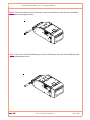
Step 9. Remove the Validating Head from the Housing, and set Mode Switch to Validation mode (see
page 36).
Step 10. Install the Validating Head into the Housing.
Step 11. Connect the interface connector to the Bill Validator.
Step 12. Turn power ON.
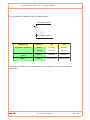
SOFTWARE UPDATE DIAGNOSTICS
Normally, the download process will be accompanied by a blinking red-green status light for about 1
minute. If the download has competed successfully, the status light will turn green. Should the download be unsuccessful, the status light will flash green on red.
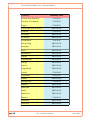
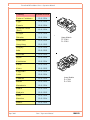
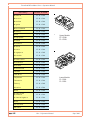
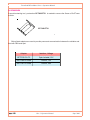
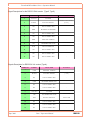
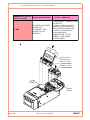
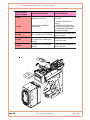
The following table lists possible errors which may take place during a download:
page 1-54
Part 1. Operation Manual
Sept. 2009