1
Commands
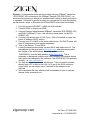
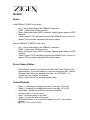
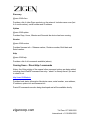
ZIG-POE-RXAV COMMANDS – shown in RS232 format – remove @rxav or
@poewp when using IP:
Set volume [range -136dB to +10dB, 1dB steps] - Sets a fixed volume on the
RXAV.
@rxav-0048 vol -25
Set device ‘rxav-0048’ volume to -25dB Response: @rxav-0048 vol x
Increase volume in 1dB steps
@rxav-0048 volup
Increase device ‘rxav-0048’ volume by 1dB Response: @rxav-0048 vol x
Decrease volume in 1dB steps
@rxav-0048 voldn
Decrease device ‘rxav-0048’ volume by 1dB Response: @rxav-0048 vol x
Bass level [range -10dB to +10dB in 2dB steps]
@rxav-0048 bass 6
Set device ‘rxav-0048’ bass level to +6dB Response: @rxav-0048 bass x
Treble level [range -10dB to +10dB in 2dB steps]
@rxav-0048 treb -2
Set device ‘rxav-0048’ treb level to -2dB Response: @rxav-0048 treb x
Mute on/off/toggle
@rxav-0048 mute on
Set device ‘rxav-0048’ mute on Response: @rxav-0048 mute x
Note: toggle has been added to change mute to the opposite state regardless of
where it is setting when addressed.
zigencorp.com
Toll Free: 877-650-5252
International: +1 818-654-5252