1
iCNC PERFORMANCE
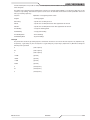
G41
(Kerf compensation left)
M03
(Gas torch on)
G01X100Y400
(Linear cut to point 100, 400)
G02X200Y400I150J400
(Clockwise arc to point 200, 400 arc’s center at position 150, 400)
G32I150J350
(Clockwise circle of radius 50 and center at position 150, 350)
M05
(Gas torch off)
M02
(End of program)
Example 2
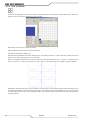
G00X100Y100
M03
G32I50J0
M05
M02
As you can see there is no definition of the kerf compensation, programming mode or units’ type. In this case the defaults are used.
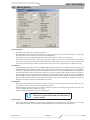
The defaults can be set in ProMotion® Nest’s EIA options. Let us assume that the programming mode is absolute, but I and J codes are
incremental and units are millimeters. In that case the program would create a circle which center would be at position 150 (100+50),
100 (100+0). If I and J codes would also be absolute then the center of the circle would be 50, 0.
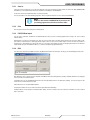
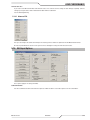
5.21.7.SendTo
If you add a shortcut to ProMotion® Nest into Windows’ Send To folder, you can send files to ProMotion® Nest directly from the
Windows Explorer.
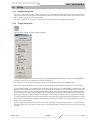
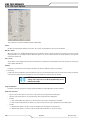
5.21.8.ini files
In the folder where ProMotion® Nest is installed, there is a folder named ini. That folder contains some configuration files, which
are really useful in some cases.
The format of each ini file is the same. The format is:
ID, TYPE, DATA, INFO
ID is the identification number of that setting. Do not change it!
TYPE is the type of the DATA. Do not change it!
DATA is the actual setting. You can modify this.
INFO is a short description of the setting. You can modify this, if you want to.
5-50 NESTING
Manual 0-5399