1
iCNC PERFORMANCE
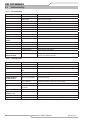
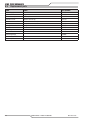
6.4Troubleshooting
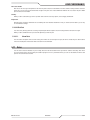
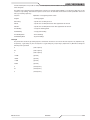
6.4.1 Error messages
Problem
Cause
What to check
Limit switches
Limit switch active
Drive machine out from limit switch
Broken cable
Cable for wear and tear
Broken switch
Measure proper operation of switch
Torch collision active
Seat torch holder properly
Broken cable
Cable for wear and tear
Broken switch
Measure proper operation of switch
No inbit 04
Plasma did not fire
Check troubleshooting for piercing issues
Main arc on Rapid
motion
Torch ON while traversing
Check plasma off delays
No motion detected
Enable button set to OFF
Put Enable button to ON
No power to servo
Check that servos are powered
E-stop pressed in
Check external stop buttons
E-stop pressed in
Check external stop switches/buttons. Check continuity between E1
and E2 in the power connector.
Collision
System halted all
outputs disabled
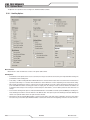
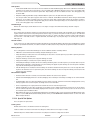
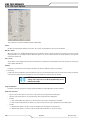
6.4.2 Piercing issues
Problem
Cause
What to check
Plasma will not pierce
Worn out consumables
Check consumables
Error in Plasma
Check plasma power supply for eror messages.
Plasma start time set too Check plasma start delay time
short
Plasma starts but
crashes to plate
Plasma set to off
Check plasma button is on Auto
Worn out consumables
Check consumables
Error in Plasma
Check plasma power supply for eror messages.
AVC set too low
Check arc voltage setting
Collision rebound offset
set too low
Check collision rebound ofset setting on iHC
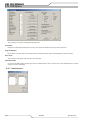
Plasma arc lost in the Worn out consumables
middle of a cut
6-4 Check consumables
Error in Plasma
Check plasma power supply for eror messages.
Wrong gas pressures
Check plasma gas pressures
MAINTENANCE / TROUBLESHOOTING
Manual 0-5399