1
Design, Assembly and Service Manual
Induction flow meter FMG600 series
Page 38 of 44
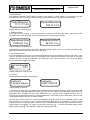
The display will read “Production date dd mm rrrr”. This information cannot be edited. To return to the
Production data menu, depress any push-button, for example . The menu will reappear on the display.
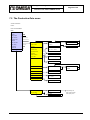
Menu: Production data, depress / Serial number, depress
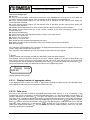
The display will read “Serial number xxxxxrr”. This information cannot be edited. To return to the Production
data menu, depress any push-button, for example . The menu will reappear on the display.
Menu: Production data, depress / Software, depress
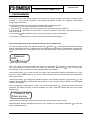
The display will read “Software v.xxxxx/xx”. This information cannot be edited. To return to the Production
data menu, depress any push-button, for example . The menu will reappear on the display.
Menu: Production data, depress
/ Sensor constants, depress
Constant 1
Constant 2
(direction downwards) and
(upwards). Select the
To page through the menu items, use push-buttons
. The constant value will appear on the display. Should you wish to change this
desired item and depress
to place the cursor under the selected figure and increase/decrease the same
value, use push-button
and
, respectively. The sensor constants shall be set at the values given on the
using push-buttons
sensor rating plate. Unless this not the case, the flow meter calibration is incorrect.
Menu: Production data, depress / Sensor constants, depress / Constant 1, depress
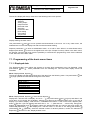
The display will read “Sensor constant 1 xxxxxxxxx“. The value was set during the meter calibration at the
. The display will read “Value entered Press
manufacturing plant and it should not be changed. Depress
. This command will cause the menu Constant 1 / Constant 2 to
any key”. Press any key, preferably
reappear on the display. The same procedure applies to setting the value of Constant 2. To return to the
Production data menu, depress push-button .
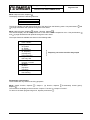
Menu: Production data, depress
/ Excitation frequency, depress
1 – 6.25 Hz
2 – 3.125 Hz
3 – 1.0 Hz
4 – 0.5 Hz
To page through the menu items, use push-buttons
desired frequency and depress .
(direction downwards) and
(upwards). Select the
Menu: Production data, depress / Excitation freq., depress / 2 – 3.125 Hz, depress
The Manufacturing data menu will reappear on the display with the item “Excitation frequency” on the first
line.
Menu: Production data, depress / Suppressed flow, depress
The display will read “Suppressed flow xxxxx“. This parameter is usually set at 0.5% Qmax and may be
increased in cases where it can be demonstrated that while no fluid flows through the meter sensor, the
move the cursor to the desired position and
meter indicates a non-zero flow rate. Using push-button
and
, respectively. Replace xxxx by a number
increase/decrease the selected figure by push-buttons
. The display will read “Value entered Press
equal to the desired value of suppressed flow rate. Depress
. The Production data menu will reappear on the display with the item
any key”. Press any key, preferably
“Suppressed flow rate” selected.
Menu: Production data, depress
/ Language, depress