1
Design, Assembly and Service Manual
Induction flow meter FMG600 series
Page 39 of 44
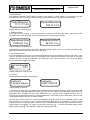
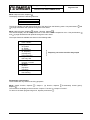
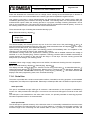
The display will read “[CZ] Czech / [EN] English“. To page through the menu items, use push-buttons
(upwards). Select the desired language and depress
. The Production data
(direction downwards) and
menu will appear on the display with the Language option on the first line.
Menu: Production data, depress / Sensor number, depress
move the cursor to the desired position and
The display will read “Sensor number”. Using push-button
and
, respectively. Enter the sensor production
increase/decrease the selected figure by push-buttons
series number (maximum 10 digits). Depress . The display will read “Value entered Press any key”. Press
any key, preferably . The Production data menu will reappear on the display with the Sensor Number item
selected.
Menu: Production data, depress / Sensor DN, depress
move the cursor to the desired position and
The display will read “Sensor DN”. Using push-button
and
, respectively. Enter the sensor dimension
increase/decrease the selected figure by push-buttons
. The display will read “Value entered Press any key”. Press any key,
(maximum 10 digits). Depress
preferably . The Production data menu will reappear on the display with the Sensor DN item selected.
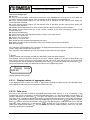
Menu: Production data, depress / Errors, depress
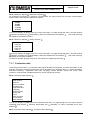
The display will read „1: Error EEPROM, 2: Overflow OUT1“. Scrolling in menu is possible using push(down) and
(up). Scroll to desired error and depress
. Display will read „Active, Non-active“.
buttons
and
set desired error feature and depress
. Then you can continue with setting of
With buttons
another error. When finished, depress and return to item "Errors".
Menu: Production data, depress , Dose correction, depress
The display will read “Dose Correction xxxxx”. The value specified here will be added or subtracted from the
earlier specified dose size. Move the cursor by repeated actuation of push-button , and set the desired
and
(increase/decrease). The five “x” should be replaced by a figure
value by push-buttons
representing the dose correction in the given volume units. Confirm your selection by depressing . The
display will read “Value Entered Press Any Key”. Depress . This takes you back to the Production Data
menu, item “Dose Correction”.
Menu: Production data, depress / Flow direction, depress
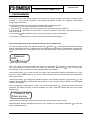
The first display line will show “A → B”, the second line “A ↔ B”. The first line applies. Select the correct
information by push-button , then depress . The display will read “Value Entered Press Any Key”.
Depress . The Production Data menu will appear on the display with the “Flow Direction” item selected.
Menu: Production data, depress / Base frequency, depress
The display will read “Base Frequency LXXX”. Move the cursor by repeated depressing of push-button ,
and
(increase/decrease). The X-es should be replaced by a
and set the desired value by push-buttons
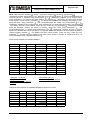
figure equal to the base frequency in Hz specified in the table shown in section 7.1.4. Then depress . The
display will read “Value Entered Press Any Key”. Depress . This takes you back to the Production Data
menu, item “Base frequency”.
To return to the basic programming menu, item “Production data”, depress push-button
.
7.1.8. Dose setting
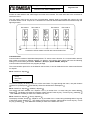
The dosing mode is operational provided the Display item is selected from the “Displayed Data” menu. The
dosing mode allows for measurement of the preset fluid volume (dose). The external initiation command
shall be brought to the input of optocoupler IN1. As soon as the preset dose has passed through the meter
probe, the output optocoupler (OUT3) will close. The dosing process will be repeated with every new
to discontinue the
external initiation signal brought to the input of optocoupler IN1. Depress push-button
dosing process currently in progress. Following that, the next dosing process can be initiated at any time.
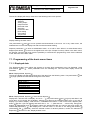
Menu: Dose setting, depress
move the cursor to the desired decimal
The display will read “Dose Size xxxxx“. Using push-button
and , respectively. Replace xxxx by
position and increase/decrease the selected figure by push-buttons
. The display will read “Value Entered Press Any Key”. Press
a number equal to the dose size. Depress